Shopify Preorder Deposits: When Partial Payments Confuse Buyers Before Checkout
Preorder deposits can reduce commitment friction, but only when the buyer understands what is charged today, what remains, when the balance is due, and what happens if the ship date changes.
A preorder deposit is a trust promise, not only a payment setting. The product page, add-to-cart state, cart line item, checkout expectation, order confirmation, and balance reminder all need to repeat the same numbers and timing.
How do you make Shopify preorder deposits clear before checkout?
Make the preorder deposit visible as a payment promise before the buyer reaches checkout. The product page should state the total price, amount due today, remaining balance, expected charge date or trigger, estimated ship window, refund or cancellation rule, and what message the customer will receive later. Then repeat the same promise in the add-to-cart confirmation, cart line item, order confirmation, and balance reminder. Do not rely on checkout math alone. If a buyer sees $50 today on a $200 preorder, they need to know whether the other $150 is charged automatically, invoiced manually, captured before shipment, or due on a date. The safest pattern is a short preorder module near the price and CTA, a cart line item note, and confirmation copy that matches the PDP exactly.
Key takeaways
- The deposit amount, remaining balance, charge timing, and ship window should be visible before checkout.
- Repeat the same preorder promise on the PDP, cart drawer, cart page, checkout-adjacent copy, order confirmation, and follow-up invoice or payment request.
- Use deposits when they lower commitment without creating surprise; use full prepayment or charge-later when those models are simpler for the buyer.
- Test mixed carts, mobile quick-add, dynamic checkout buttons, discounts, refunds, and failed balance charges before sending paid traffic.
Preorder deposits are attractive because they let a Shopify store secure demand without asking every buyer to pay the full amount before inventory exists. They can work well for made-to-order products, limited launches, expensive items, long production windows, and restocks where demand is real but the delivery date is not immediate.
The conversion risk is simple: partial payment is not a familiar ecommerce pattern for every buyer. If the page says preorder, the button says add to cart, the cart shows a smaller amount, and the confirmation email does not explain the future balance, support tickets become part of the purchase path.

Why do preorder deposits confuse Shopify buyers?
Most product pages train buyers to expect one of two outcomes: pay now or do not buy. A deposit creates a third outcome. The shopper is committing to a future charge, a future delivery date, and usually a future operational event such as production completion, inventory arrival, or a balance invoice.
That extra future step is where doubt forms. Buyers ask whether the deposit is refundable, whether the balance is automatic, whether they can cancel, whether the product is guaranteed, whether the stated date is real, and whether the deposit shown in checkout is the full amount by mistake.
The PDP gets add-to-carts, but checkout or post-purchase support reveals confusion: buyers ask why they were charged only part of the price, when the rest is due, or whether the preorder is confirmed.
What should the PDP say near the price?
Put the payment explanation where the buyer first evaluates price. A banner lower on the page is not enough. Tabs are not enough on mobile. The price area, preorder badge, and CTA block should work together.
| PDP element | What it must answer | Example wording |
|---|---|---|
| Preorder badge | Is this in stock or reserved for later? | Preorder: ships late September |
| Price line | What is the full product price? | Total price: $240 |
| Deposit line | What is charged today? | $60 deposit due today |
| Balance line | What remains after checkout? | $180 balance due before shipping |
| Charge timing | When and how is the rest collected? | We email the balance invoice when your unit is ready |
| Policy note | Can the buyer cancel or refund? | Deposit is refundable until production starts |
Use one deposit promise across PDP, cart, checkout, and email
The buyer should not have to reconcile different language at each step. If the PDP says $60 deposit, the cart should not only show $60 with no note. If the confirmation email says paid, it should also make clear whether the order is partially paid and how the remaining amount will be collected.
This is especially important for dynamic checkout buttons and accelerated wallets. A buyer who jumps from the PDP into an express checkout may skip your cart drawer. If that path hides the deposit explanation, the fastest purchase path becomes the least informed path.
- Use the same dollar amounts and dates in every step.
- Label cart items as preorder deposit or partial payment, not only preorder.
- Show whether taxes and shipping are collected now or later.
- Explain whether the remaining balance is automatic, invoiced, or manually requested.
- Confirm what happens if the ship date moves.
- Keep mixed carts clear when preorder and in-stock products are bought together.
Where should the message appear in the buying path?
Do not hide the deposit explanation in one long policy page. Treat it as operational UX. The buyer path needs repeated, compact confirmation at every decision point.
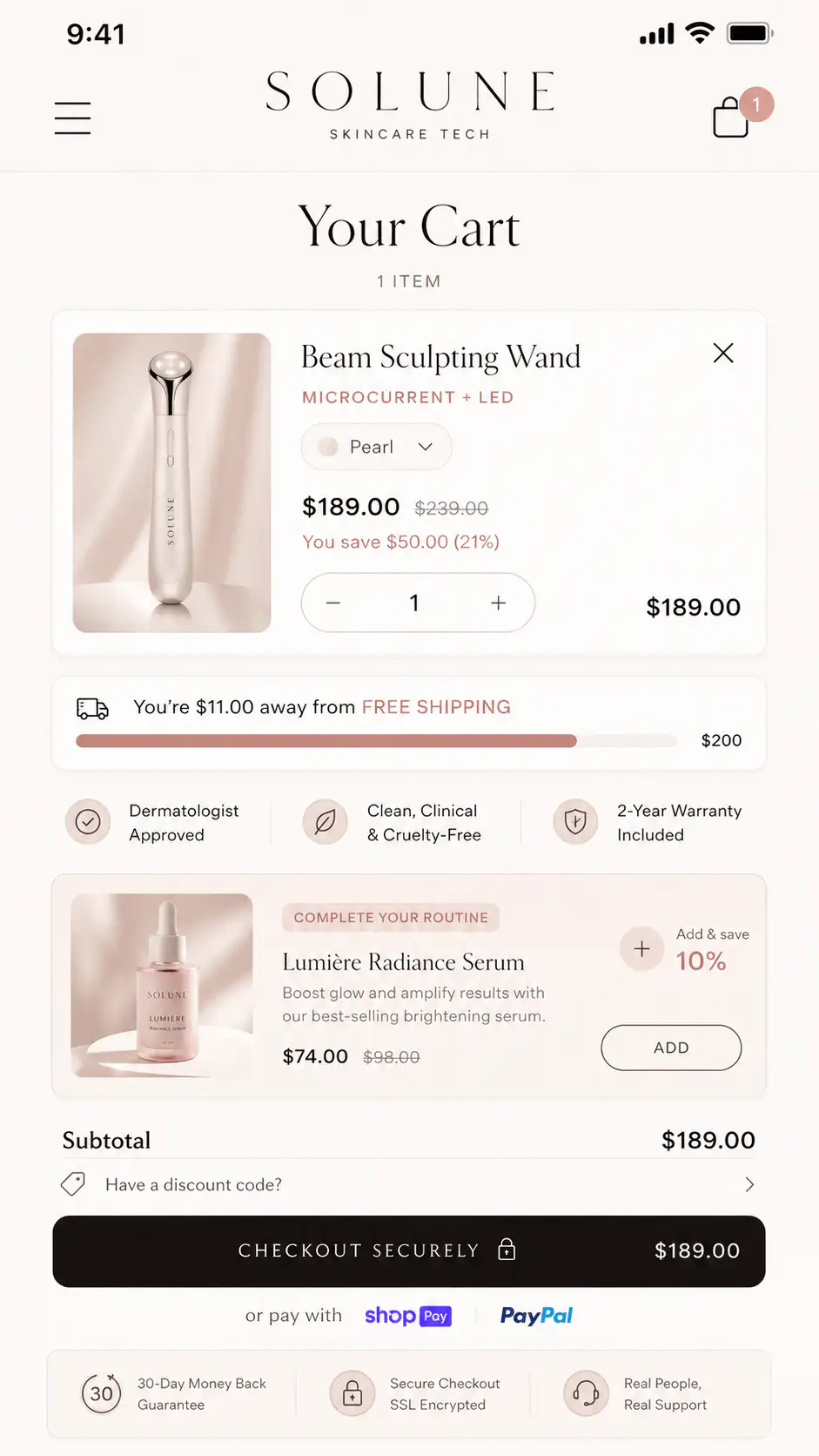
| Touchpoint | Pass condition | Failure to catch |
|---|---|---|
| PDP price block | Total price, deposit, balance, and ship timing are visible before CTA | Buyer thinks deposit is the full price |
| Add-to-cart state | Button or confirmation says preorder deposit | Standard add-to-cart hides the future charge |
| Cart drawer | Line item repeats amount due today and remaining balance | Cart shows a low total with no explanation |
| Checkout path | Buyer sees no conflicting payment or delivery promise | Express checkout bypasses preorder context |
| Order confirmation | Email confirms partial payment terms | Buyer believes the order is fully paid |
| Balance request | Amount, due date, and consequence of non-payment are clear | Second charge feels unexpected |
Choose the payment model that creates the least buyer doubt
Deposits are not automatically better than full prepayment or charge-later preorders. The right model depends on price, scarcity, production risk, fulfillment timing, and how much reassurance the buyer needs.
| Model | Use when | UX risk |
|---|---|---|
| Full prepayment | Low price, high demand, short wait, clear delivery date | Refund pressure if production slips |
| Deposit upfront | Higher price, limited run, custom item, or long lead time | Buyer may miss the remaining balance terms |
| Charge later | Inventory is uncertain and commitment should feel light | Order may feel less binding |
| Manual invoice or draft order | B2B, custom quotes, concierge sales, unusual payment terms | Too slow for self-serve ecommerce |
| Back-in-stock waitlist | Demand is uncertain or ship date is weak | Less cash-flow benefit than preorder |
What should you test before launch?
A preorder deposit path has more edge cases than a normal PDP. Test the path as a buyer, not only as an admin user checking app settings.
- Open the PDP on mobile and confirm the deposit explanation appears before the CTA.
- Add one preorder item to cart and verify the line item states preorder, deposit due today, balance, and ship window.
- Test express checkout or dynamic checkout buttons if they remain enabled.
- Place a mixed cart with one preorder item and one in-stock item.
- Apply discount codes and confirm the deposit and balance math still make sense.
- Check confirmation email, customer account order view, and staff-facing order tags.
- Simulate a balance request or second charge so the language matches the original promise.
- Test cancellation, refund, and delayed-shipment messaging before support needs it.
How much detail is too much?
The PDP does not need a legal brief next to the button. It needs the facts that affect commitment. Put the full policy in a linked section, but keep the money and timing close to the purchase decision.
- Total product price.
- Amount charged today.
- Remaining balance.
- When the remaining balance is collected.
- Estimated ship or production window.
- Refund, cancellation, and delay rule in one plain sentence.
- Customer communication method for the balance request.
When should a store avoid deposit preorders?
Avoid deposits when the team cannot explain the future charge cleanly, when the ship date is highly uncertain, when the item is low-priced enough that a deposit adds complexity without reducing friction, or when fulfillment and support systems cannot track partially paid orders reliably.
Also avoid deposits when a simpler waitlist would protect trust better. If the buyer is not truly ready to commit, capturing a deposit can create refund work instead of real demand.
Deposit clarity checklist
| Check | Pass condition |
|---|---|
| Numbers match | PDP, cart, confirmation, and balance request use the same total, deposit, and balance |
| Timing is specific | The buyer sees a date, ship window, or clear trigger for the remaining charge |
| Status is visible | The product is labeled preorder before and after add-to-cart |
| Refund rule is short | The buyer can understand cancellation rights before paying |
| Mobile path works | No key term is hidden below tabs, accordions, sticky bars, or app widgets |
| Support can answer | Team has the same wording customers saw during purchase |
Want a preorder PDP clarity review?
If preorder deposits are live or planned, Thankik can review the product page, cart language, mobile path, confirmation copy, and balance-payment expectation before the launch creates support debt.
FAQ
Can Shopify take preorder deposits natively?
Shopify supports collecting and recording partial payments in some order workflows, and many storefront preorder deposit experiences rely on dedicated preorder or deposit apps. The buyer-facing UX still needs to explain the deposit clearly regardless of the technical setup.
Where should I explain the remaining preorder balance?
Explain it near the PDP price and CTA first, then repeat it in the cart, order confirmation, and balance reminder. The buyer should not need to open a policy page to understand the second payment.
Should a preorder deposit be refundable?
That depends on the product and production model, but the rule must be visible before payment. If the deposit becomes non-refundable after production starts, say that near the purchase decision and in confirmation copy.
Should I disable dynamic checkout buttons for preorder deposits?
Test them carefully. If express checkout bypasses the cart or hides the deposit explanation, disable or adjust that path for preorder products until the terms remain clear.
What if customers think the deposit is the full price?
Treat that as a page clarity failure, not only a support issue. Add total price, amount due today, remaining balance, and charge timing beside the price and repeat the same terms in cart and confirmation.
Sources and verification notes
- Reddit r/shopify, pre-order with partial payment option, retrieved 2026-07-23
- Reddit r/shopify, how to handle pre order down payments, retrieved 2026-07-23
- Shopify Community, pop up before purchase specific products, retrieved 2026-07-23
- Shopify Community, which Shopify pre-order app works best, retrieved 2026-07-23
- Shopify Help Center, collecting and recording partial payments, retrieved 2026-07-23