Apparel Product Pages: What to Show Before the Size Selector
For apparel, the size selector is a risk checkpoint. Buyers need fit, fabric, proof, delivery, and return confidence before they choose.
A clothing product page should prepare the buyer before the size selector. That means showing who the item fits, how it feels, what the fabric does, what happens if the size is wrong, and why the store is safe to buy from.
What should an apparel product page show before the size selector?
An apparel product page should show enough fit, fabric, and risk context before the size selector for a first-time buyer to choose confidently. That usually includes model height and size worn, visible garment shape, size-guide access, key measurements, fabric feel, stretch or care notes, return or exchange reassurance, delivery timing, review signals, and customer photos when available. The page does not need to explain everything above the fold, but the buyer should not reach size selection with basic questions unanswered.
Key takeaways
- Apparel PDPs need fit confidence before the size selector, not only a size chart hidden lower on the page.
- Model context, garment measurements, fabric detail, returns, delivery timing, and customer photos reduce different kinds of doubt.
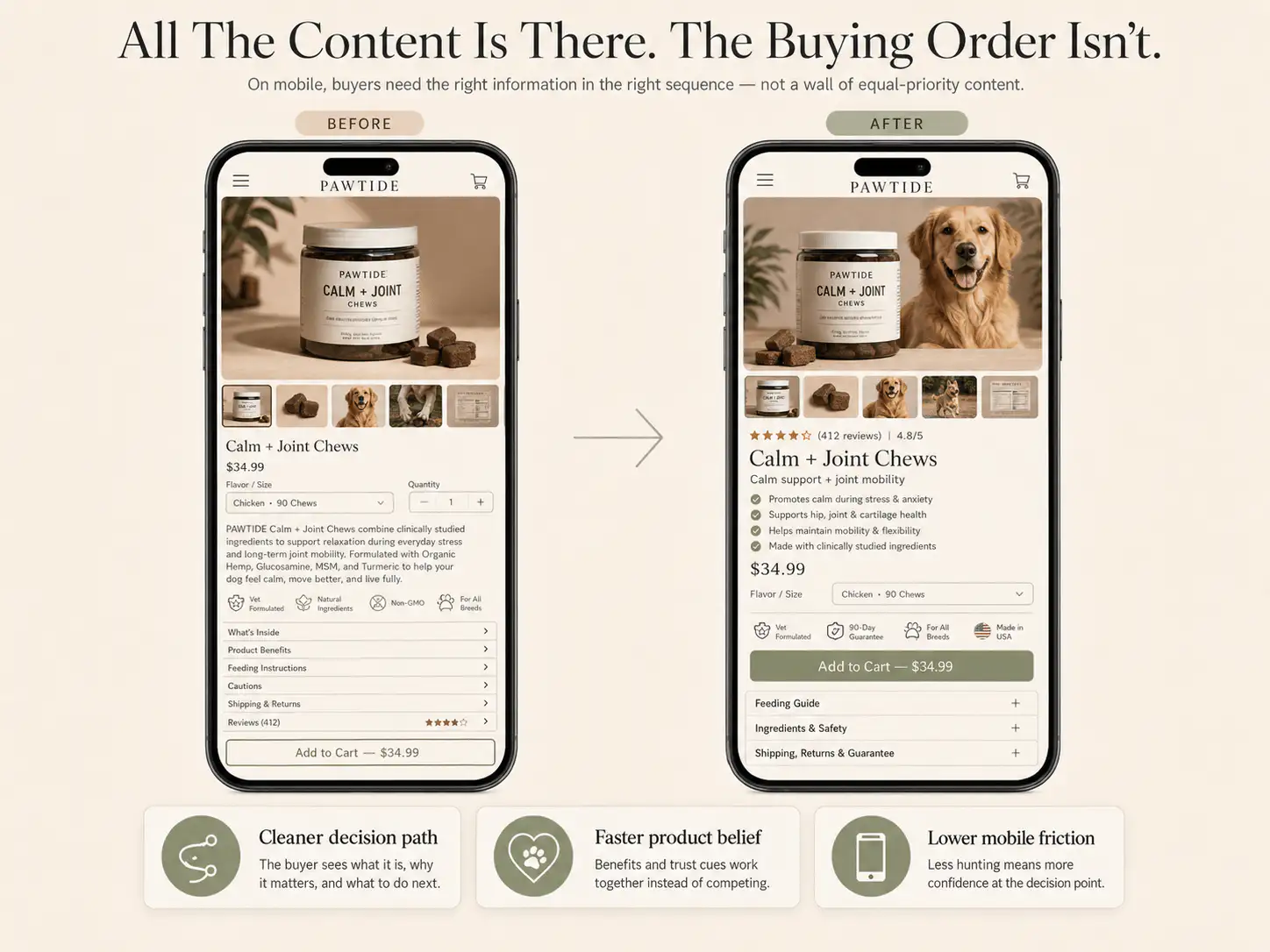
- Mobile order matters because shoppers often see the gallery, title, price, and size picker before the page has earned enough trust.
- The best apparel PDP structure answers risk near the point where the buyer has to choose.
Apparel product pages fail differently from many ecommerce PDPs. The buyer is not only asking whether the product looks good. They are asking whether it will fit their body, feel the way they expect, arrive on time, look like the photos, and be easy to return if the guess is wrong.
That makes the size selector a high-friction moment. A store can have beautiful photography, a premium theme, and a strong brand voice, but if the buyer reaches size selection without fit context, the page turns a purchase into a gamble.
Why does the size selector create hesitation?
The size selector asks the buyer to make a personal prediction. They have to translate a generic size label into a physical outcome on their body. If the page does not show how the garment fits, how it stretches, where it sits, or how returns work, the buyer carries that uncertainty into the cart.
- The model image looks good, but the model's height and size are missing.
- The size chart exists, but it is generic or buried behind a tiny link.
- The product copy describes style, but not fit, drape, stretch, or fabric weight.
- The gallery hides close-ups, back views, movement, or real-body photos.
- Return and exchange rules are only in the footer.
- Delivery timing appears late, even though the buyer may need the item by a specific date.
What should appear before or near the size selector?
| Buyer question | PDP element that answers it |
|---|---|
| Will this fit my body? | Model height, size worn, garment measurements, fit notes |
| Will the material feel right? | Fabric composition, stretch, weight, lining, care |
| Will it look like the photo? | Close-ups, alternate angles, real customer photos |
| What if I choose wrong? | Exchange policy, return window, fit guarantee cue |
| Can I get it in time? | Delivery estimate near the buy area |
| Do people like me buy this? | Reviews with size, height, body context, or photos |
Do not ask buyers to choose a size before the page has shown enough evidence to make that choice feel reasonable.
Model context should be specific, not decorative
A model photo is useful only when it helps the buyer interpret fit. A line like 'Model is 5 ft 8 in and wears size S' does more buying work than another vague lifestyle image. For fitted products, add bust, waist, hip, inseam, or garment-length context when it matters.
The size guide should be easy to use on mobile
- Place the size-guide trigger directly beside the selector.
- Show the most important fit note before the full table.
- Use garment measurements when body measurements alone are not enough.
- Keep the size guide readable in one mobile column.
- Explain whether the product runs small, true to size, relaxed, fitted, cropped, oversized, or stretchy.
Fabric and care copy should answer buying risk
Apparel copy often stops at style: elegant, premium, effortless, elevated. Fabric details should tell the buyer what they will experience: soft but structured, heavyweight, breathable, lined, sheer, stretchy, wrinkle resistant, dry clean only, machine washable, or prone to shrinkage.
Returns and exchanges belong near the decision point
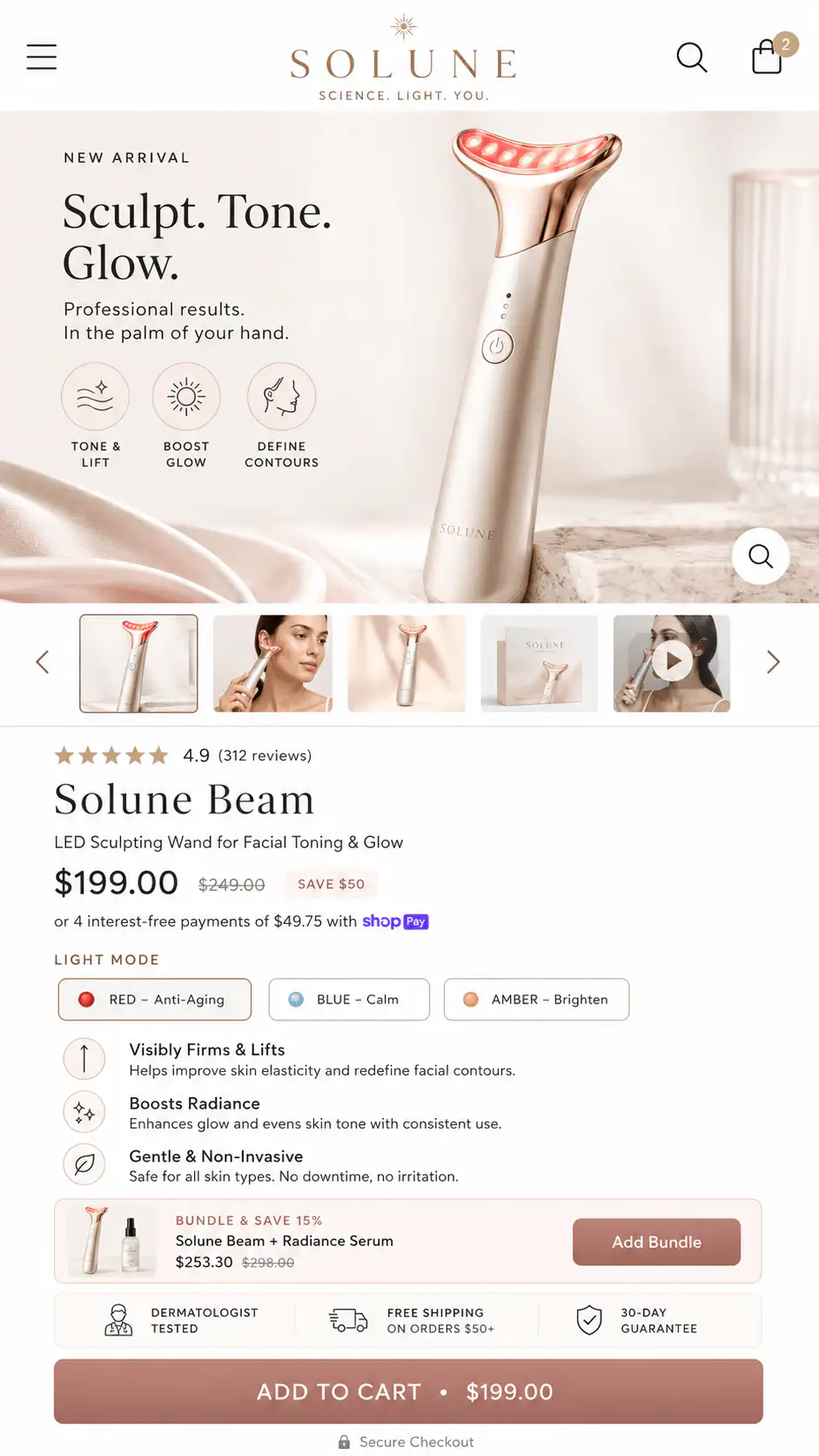
For apparel, returns are not legal fine print. They are part of the purchase argument. If sizing is uncertain, buyers want to know whether exchanges are easy, what the return window is, and whether sale items or international orders behave differently.
How should the mobile order work?
| Mobile sequence | What it should do |
|---|---|
| Product image and product name | Confirm the item and category quickly |
| Promise and short proof | Explain why this item is worth considering |
| Price and offer context | Avoid surprise before action |
| Fit note and size guide | Reduce uncertainty before size selection |
| Size selector and CTA | Make the action clear |
| Return or exchange cue | Reduce risk immediately after the action |
| Fit details, fabric, reviews | Support buyers who need more depth |
Want a first look at your apparel PDP?
If your product pages look polished but buyers hesitate at size selection, get a Free First-Look at the product-page decision path. We will look at fit context, proof placement, mobile order, and risk cues before the CTA.
FAQ
Should the size chart be above the fold?
The full size chart does not always need to be above the fold, but the buyer should see a clear size-guide trigger and a useful fit cue before choosing. On mobile, place that trigger beside the size selector.
What is the most important apparel PDP trust cue?
Fit confidence is usually the most important cue. Model size, garment measurements, real-body photos, review context, and exchange reassurance all help shoppers feel safer choosing a size.
Where should return policy appear on apparel PDPs?
Show a short return or exchange reassurance near the CTA and size selector. Keep the full policy lower on the page or linked, but do not make shoppers hunt for risk information.