What Should Be Above the Fold on a Shopify Product Page?
The first screen of a Shopify PDP should answer the buyer's first decision questions before asking for commitment.
Above the fold on a Shopify product page should answer the buyer's first decision questions before asking for commitment: product, promise, proof, price, choice, risk, and next action.
What should be above the fold on a Shopify PDP?
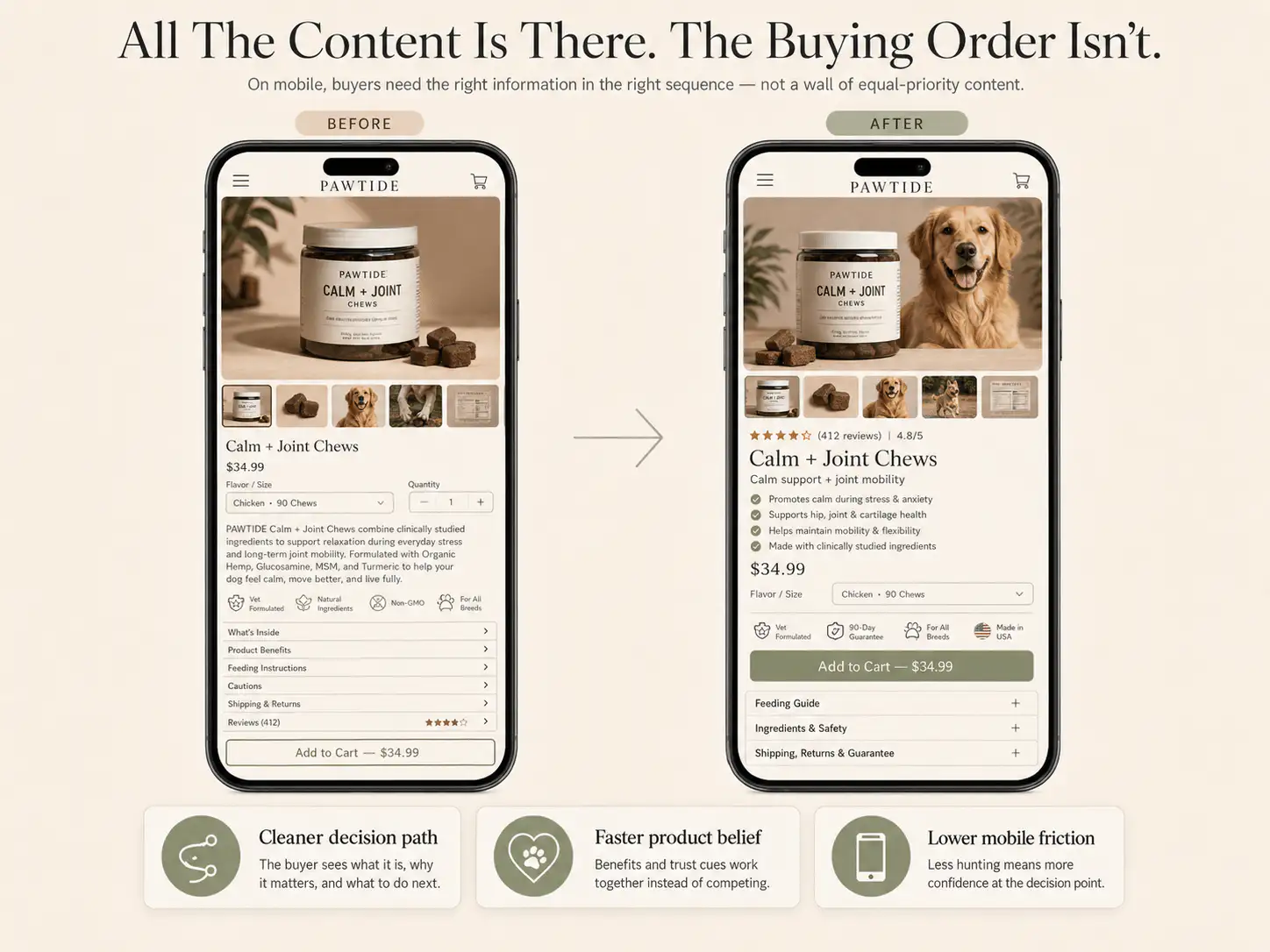
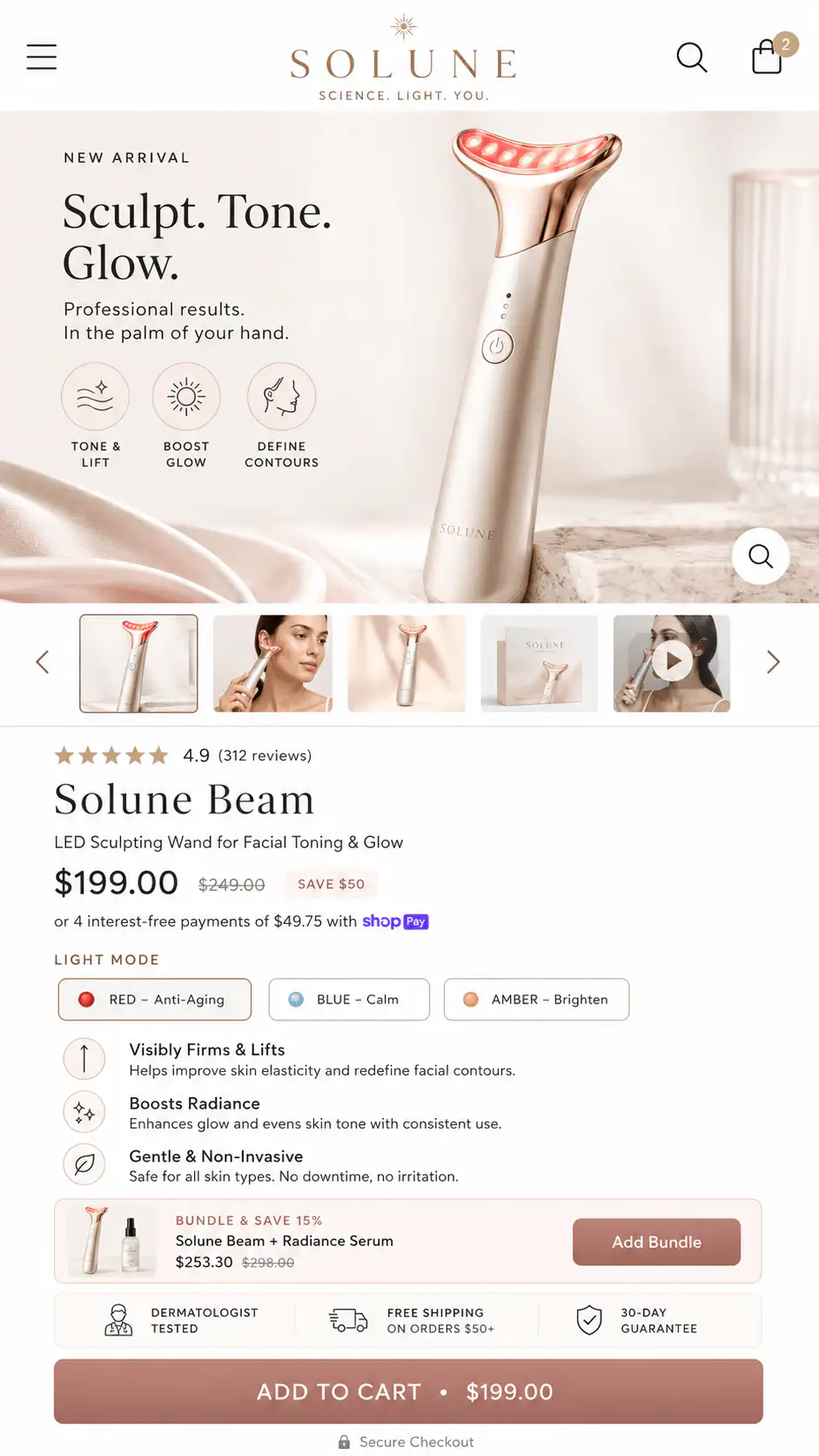
A Shopify product page should show a clear product image, product name, specific value promise, price context, star rating or proof signal, variant choices, primary CTA, and trust or delivery reassurance above the fold. On mobile, the exact order matters more than fitting every element into one viewport. The goal is not to crowd the screen. The goal is to answer the buyer's first questions quickly enough that scrolling or tapping feels worthwhile. Strong above-the-fold sections make the buyer understand what the product is, why it matters, what they need to choose, what happens after purchase, and why the store is safe to buy from.
Key takeaways
- Above the fold is the first visible decision area, not just a design zone.
- The PDP first screen should compress product, promise, proof, price, choice, risk, and CTA.
- Mobile order matters more than desktop composition because buyers see one column at a time.
- A visible CTA works best when the surrounding information makes action feel reasonable.
Shopify describes above-the-fold content as what visitors see without scrolling. That definition is useful, but ecommerce teams often interpret it too visually. They ask what looks good in the first viewport instead of what decision has to happen there.
What seven elements usually belong in the first screen?
- Product image that confirms what the shopper is buying.
- Product name that includes the product type, not only a branded name.
- Specific promise that explains why the product matters.
- Price and offer context, including bundles or free-shipping thresholds when relevant.
- Proof signal such as rating, review count, press, UGC, or result cue.
- Choice controls for size, color, bundle, subscription, quantity, or variant.
- CTA with risk reducer such as delivery, returns, guarantee, or secure payment.
Many PDPs show a large image, vague copy, price, variant selectors, and CTA before the buyer has enough belief. The CTA is visible, but the buying argument is incomplete.
What should not dominate the first screen?
- Oversized galleries that push all decision content below the fold.
- Vague brand headlines without product explanation.
- Promotional banners that steal the first attention.
- Long variant names with no guidance.
- Subscription selectors before product belief.
- Collapsed accordions hiding the only useful information.
How should mobile above-the-fold differ from desktop?
Mobile PDPs need stricter ordering because the buyer experiences the page as a single column. On desktop, the image gallery and buy box can sit side by side. On mobile, one comes first, and that order shapes whether the buyer understands enough before acting.
- Product identity and first visual.
- Product promise and proof signal.
- Price, offer, and options.
- CTA and risk reducer.
- Short explanation or proof expansion.
How should hierarchy change by product type?
| Product type | First-screen emphasis |
|---|---|
| Beauty/skincare | Outcome, skin type, reviews, before/after, usage expectations |
| Apparel | Fit, size, model info, returns, shipping, variant clarity |
| Supplements | Benefit, ingredient trust, compliance-safe claims, subscription terms |
| Home goods | Material, dimensions, style context, delivery/returns |
| Devices | What it does, how it works, proof, guarantee, support |
| High-AOV products | Trust, financing, warranty, customer proof, delivery clarity |
How do you audit the first screen?
- Can a new visitor identify the product without reading a long paragraph?
- Does the page state a concrete outcome or value?
- Is there believable proof before or near the first CTA?
- Are variants, sizes, bundles, or subscriptions easy to understand?
- Can the buyer see shipping, returns, guarantee, or delivery reassurance near action?
- Does mobile show enough information before the CTA or sticky CTA?
Want to know what your PDP should show first?
If your Shopify product page looks good but buyers still hesitate, the first screen may be asking for action before it has built enough belief. Get a Free Buying Journey First-Look.
FAQ
Should the add-to-cart button always be above the fold?
Usually yes, but not at the cost of clarity. A visible CTA works best when the surrounding information makes the action reasonable.
Should reviews be above the fold?
A proof signal should appear early. The full review section can live lower, but a star rating, review count, short testimonial, or customer-photo cue should support the first decision area.
Is a large product image bad above the fold?
No. A strong product image is important. The problem is when the gallery consumes the first screen and pushes all decision content too far down, especially on mobile.