Field notes/Product Page & CRO
Shopify Inventory Availability Mismatch: When Products Show Sold Out or Available Incorrectly
A product that looks sold out with stock, or buyable with no stock, is a trust leak. Use this checklist to trace inventory, variants, locations, markets, and theme logic before buyers lose confidence.
Shopify inventory mismatches happen when the storefront, selected variant, fulfillment location, sales channel, market, shipping eligibility, theme, or inventory policy do not agree. The buyer sees one promise on the product page and another reality in cart or checkout.
Why does Shopify show the wrong product availability?
Shopify can show a product as sold out, unavailable, or available incorrectly when the selected variant, inventory policy, location, market, shipping profile, sales channel, or theme logic is out of sync. The admin may show stock, but the Online Store, buyer's market, or shipping zone may not be able to sell that variant. The reverse also happens: a product can stay buyable after quantity reaches zero if inventory is not tracked, continue-selling is enabled, or custom theme code ignores the real variant availability state. Treat the issue as a promise mismatch. The product page tells the buyer what can be bought; cart and checkout prove whether that promise is true.
Key takeaways
- Start with the exact buyer symptom: sold out with stock, available with zero stock, unavailable variants, or checkout blocking the item.
- Check variant-level tracking, continue-selling settings, Online Store availability, location activation, shipping-zone eligibility, and market catalogs before changing theme copy.
- Multi-location and market-specific stores need PDP-to-checkout QA because global stock can look available while the buyer's fulfillment path cannot actually ship.
- If the theme or app ignores Shopify's selected variant state, the PDP can show the wrong button, inventory label, media, or cart behavior even when admin data is correct.
An inventory mismatch is one of the fastest ways to make a Shopify store feel unreliable. The buyer does not care whether the cause is a location setting, a market catalog, a custom product template, or an app conflict. They see a product page that says one thing and a cart or checkout path that says another.
That contradiction changes the buying decision. If the PDP says an item is sold out while social proof, ads, or emails are pushing it, the shopper may leave before finding an alternative. If the PDP says an item is available and checkout blocks it later, the shopper may doubt the entire store.
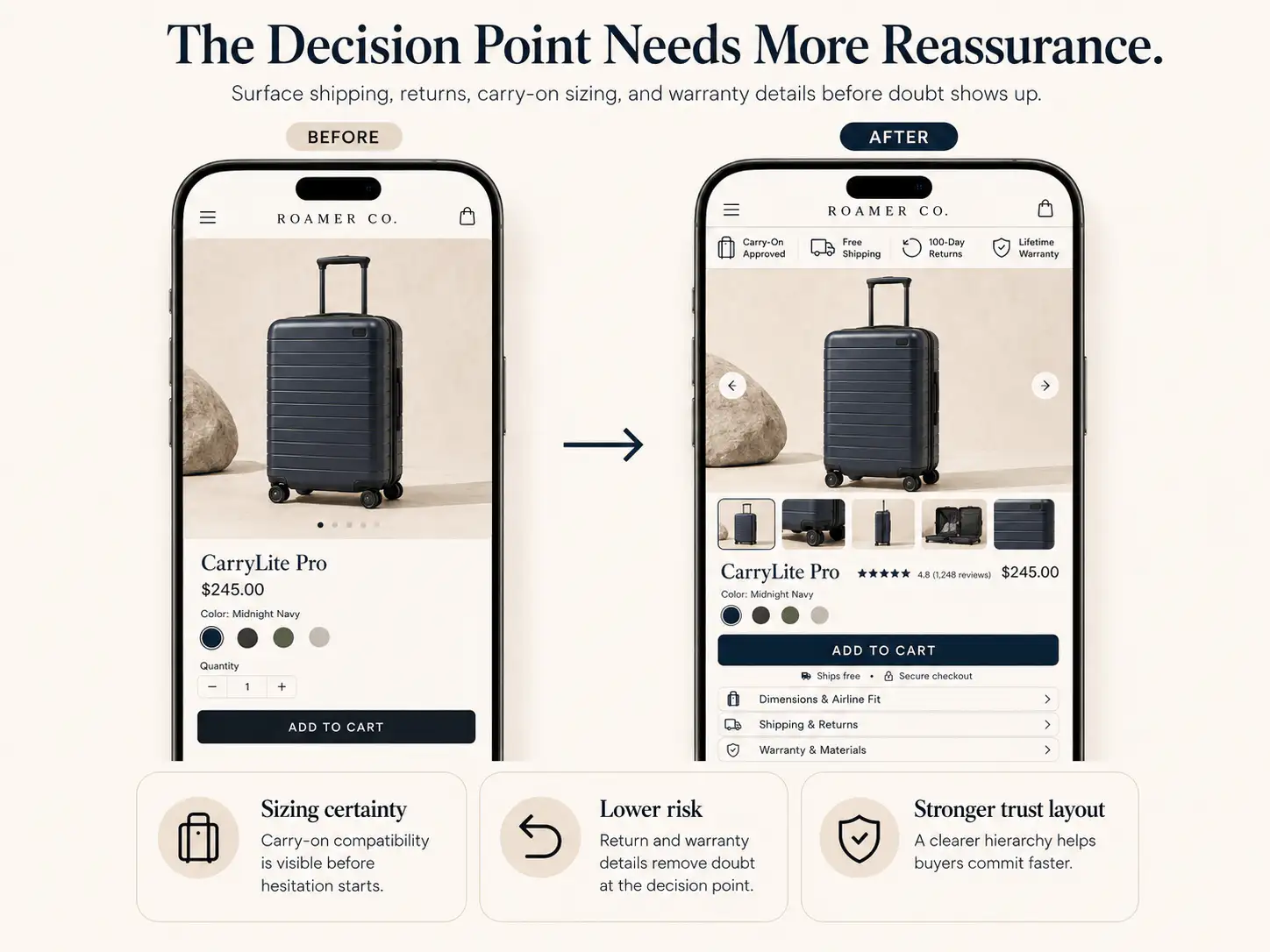
What symptom should you diagnose first?
Do not start by changing code. Start by naming the exact storefront symptom, because each symptom points to a different source of truth.
| Buyer symptom | Likely source | First check |
|---|---|---|
| Product shows sold out even though admin has stock | Location, sales channel, market, or tracking setup | Variant inventory, Online Store publishing, market availability |
| Product stays buyable after quantity hits zero | Inventory policy or theme logic | Track quantity and continue-selling settings |
| Variant says unavailable after selection | Variant combination, theme state, or app conflict | Selected variant ID, option combinations, product form |
| PDP says available but checkout blocks purchase | Shipping zone, market, fulfillment location, or product eligibility | Test checkout by buyer country and address |
| Only some customers see sold out | Market, currency, location, or fulfillable inventory | View the product as that market/customer location |
| Cart contains the item but later errors | Cart/checkout handoff or shipping profile | Cart line item, product weight, shipping rates, delivery method |
Inventory is not one value. On a live Shopify store, availability is the result of variant data, tracked quantity, inventory policy, active locations, sales-channel publishing, markets, shipping eligibility, and theme behavior.
Why can a product show sold out when stock exists?
A product can have stock in Shopify admin and still appear sold out if that stock is not available to the online buyer path. The stock may be held at a location that is not active for online fulfillment, assigned to a fulfillment service, excluded from the Online Store channel, or excluded from the buyer's market.
Shopify's own location and fulfillable-inventory documentation makes the distinction important: inventory can exist, but online checkout depends on whether a location can fulfill the order for that buyer. In a multi-location store, this is where many teams misread the admin number as the storefront promise.
- Open the exact product and variant, not only the parent product.
- Confirm inventory tracking is enabled if the store expects stock to control availability.
- Check whether the variant has available quantity at a location that can fulfill online orders.
- Confirm the product and variant are published to the Online Store sales channel.
- Use Shopify's market view or product availability tools to confirm the buyer's market can see and buy the product.
- Test with an address from the affected shipping zone instead of only testing from your own location.
- If a fulfillment app manages the item, confirm the app location has pushed current stock and fulfillment availability.
Why can a product stay available with no stock?
The opposite mismatch is just as damaging. Buyers can purchase an item that staff believe is sold out when inventory is not tracked, continue-selling is enabled, a preorder/backorder rule is active, or custom theme code uses the wrong availability condition.
Continue-selling is useful for preorders, backorders, made-to-order items, and products where replenishment is predictable. It is risky when the page still looks like a normal in-stock purchase. If the buyer sees an ordinary CTA but fulfillment will be delayed, the store has created a trust debt that support will pay later.
| Setting or behavior | When it is okay | When it becomes a leak |
|---|---|---|
| Track quantity off | Made-to-order or non-stock-controlled product | Physical inventory is finite but Shopify is not enforcing it |
| Continue selling when out of stock | Clear preorder or backorder promise | PDP still implies immediate shipping |
| Multiple active locations | Order routing is understood and tested | Stock exists somewhere but not where the buyer can receive it |
| Custom product template | Uses Shopify's selected variant availability correctly | Button ignores sold-out or selected-variant state |
| App-managed inventory | App sync is current and visible in QA | Admin, app, PDP, and checkout disagree |
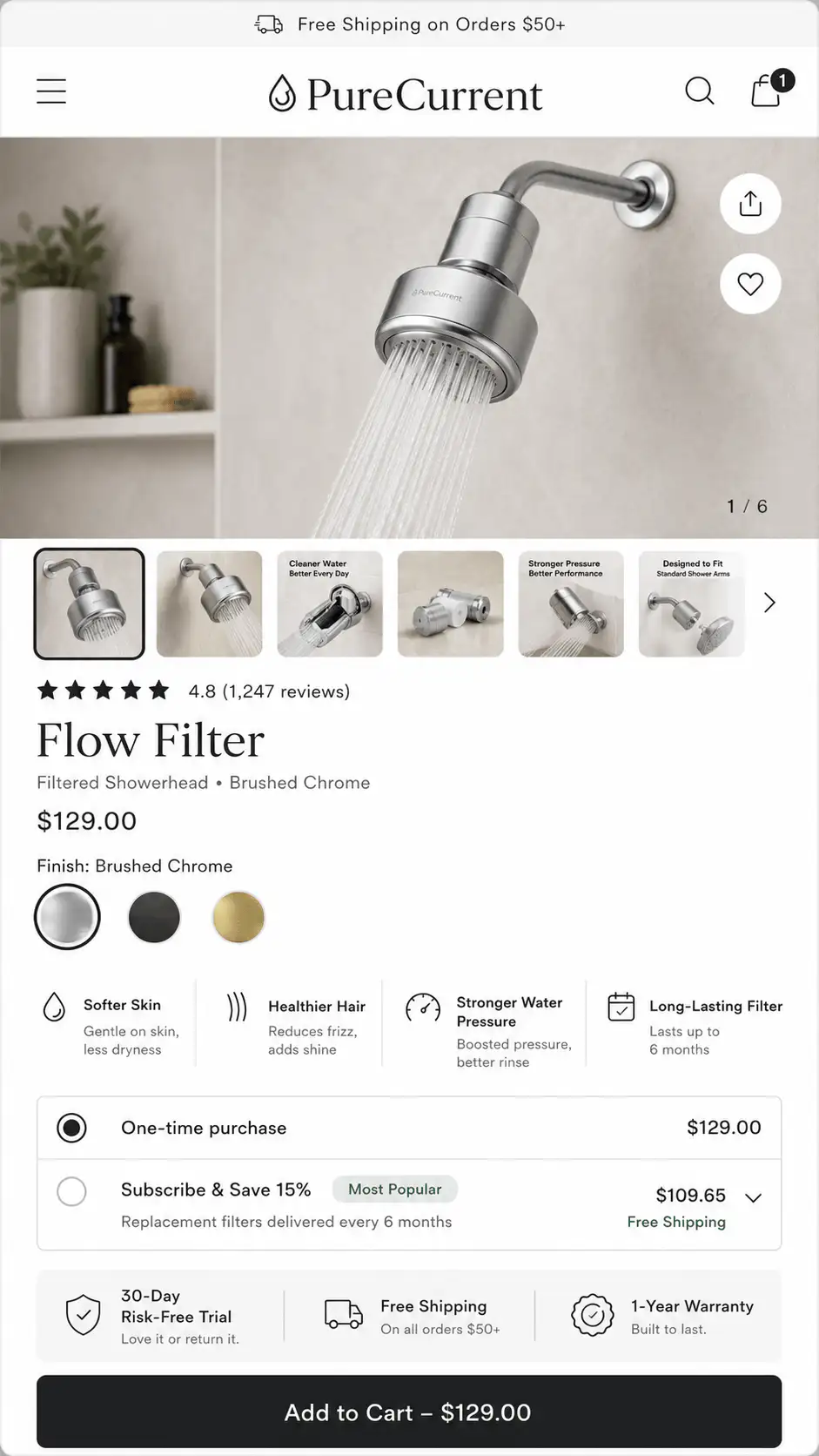
How do variants create false unavailable states?
Variant availability problems often look like inventory problems, but the cause can be option logic. A product may have a valid black medium and a valid blue large, but not a black large. If the theme allows impossible combinations, the shopper sees an unavailable state that feels like a broken product page.
Theme code can also desync from the selected variant. The image, price, inventory label, URL variant parameter, and hidden variant ID in the product form must update together. If one stays behind, the add-to-cart action can submit the wrong variant or show the wrong sold-out message.
- Switch every option in mobile and desktop view and watch whether the price, media, stock label, and CTA update together.
- Inspect whether unavailable combinations are disabled, hidden, or explained before the buyer clicks them.
- Check whether swatches, dropdowns, size buttons, quick-add cards, and sticky add-to-cart bars all use the same selected variant.
- Test a direct variant URL with `?variant=` to see whether the page opens in the correct state.
- Remove or disable product-option apps in a duplicate theme if the issue started after an app change.
Where do locations and fulfillment rules break trust?
Multi-location inventory is useful until the storefront promise becomes too vague. A warehouse, retail store, dropshipper, pickup location, and third-party fulfillment app can all hold stock. But the buyer only cares whether their selected product can be delivered or picked up under the promise shown on the page.
Shopify can assign online orders to locations based on routing and available inventory. If no single location can fulfill the full order, routing and oversell behavior can become more complex. That matters for bundled products, mixed carts, local pickup, and products that are stocked at one location but not shippable to the buyer.
- List every inventory location that carries the affected variant.
- Mark which locations fulfill online orders, pickup, local delivery, POS, app orders, and third-party logistics.
- Test whether the affected buyer's shipping address can be served by the location with stock.
- Check whether the item has product weight and shipping profile rates that allow checkout.
- Verify whether pickup-only or local-only products are clearly labeled before cart.
- For mixed carts, test whether one restricted item blocks the whole order or only its own delivery method.
How do Markets and sales channels change availability?
Markets add another layer. A product can be live in the default store but unavailable to a specific country, customer group, B2B catalog, or market catalog. Shopify notes that markets can tailor product availability, pricing, currency, language, and theme content for different customers.
This is why testing only from the merchant's own browser is weak QA. The product may look correct from your country, but a buyer in another market may see a different price, unavailable state, shipping error, or checkout blocker.
| Market layer | Availability risk | QA question |
|---|---|---|
| Product publishing | Product is not available in a market or sales channel | Can this market see the product and variant? |
| Catalogs | Market-specific catalog excludes the item or variant | Is the item assigned to the right catalog? |
| Currency and price | Buyer sees a price but checkout context changes | Does PDP price match cart and checkout? |
| Shipping zones | Product can be viewed but not shipped | Can an address in the market complete checkout? |
| Fulfillable inventory | Stock exists but not at a location that delivers there | Does the stock location serve that buyer? |
What should the PDP say when availability is conditional?
If availability depends on variant, market, location, pickup, preorder, or backorder logic, the product page needs plain language near the decision point. Do not force the buyer to discover the condition after add-to-cart.
- For preorder: show charge timing, estimated ship window, cancellation policy, and whether in-stock items ship separately.
- For backorder: show the delayed variant's expected date and repeat it in cart.
- For local pickup only: say pickup-only before the CTA and name the pickup area.
- For market-specific inventory: make country or region selection visible before checkout if it changes availability.
- For low stock: show the cue only when it is real and actionable, not as fake urgency.
- For discontinued products: route shoppers to close alternatives instead of leaving a dead sold-out page.
What should you test before blaming ads or demand?
Inventory mismatch can look like weak demand. Campaigns get clicks, product views continue, and conversion drops. Before changing ads, test whether buyers can actually buy the items receiving traffic.
| Test | Pass condition | What failure means |
|---|---|---|
| Direct PDP visit | Correct variant, price, inventory, and CTA appear | Theme, variant, market, or publishing issue |
| Variant switch | Every option updates state and URL cleanly | Variant picker or app conflict |
| Add to cart | Cart contains the selected variant once | Product form, line item, or cart drawer issue |
| Checkout address | Shipping rates appear for target buyer | Shipping profile, location, weight, or market issue |
| Zero-stock variant | CTA matches intended policy | Tracking or continue-selling mismatch |
| Market view | Availability matches that country/customer group | Market catalog or fulfillable inventory issue |
If the mismatch started after a theme edit or app install, reproduce it in the live theme, then test the same product in a duplicate theme with recent changes disabled. That separates admin data problems from storefront logic problems.
When should this become a CRO or redesign issue?
If one product has one wrong setting, fix the setting. If many products have conditional availability, market-specific stock, preorder states, pickup rules, or variant-dependent timing, this is no longer a one-off admin task. It is part of the buying architecture.
The page system should support the inventory reality of the business. That may mean different PDP templates for preorder products, clearer cart line-item notes, market-aware delivery copy, variant-specific media and labels, or collection cards that show the right status before the shopper clicks.
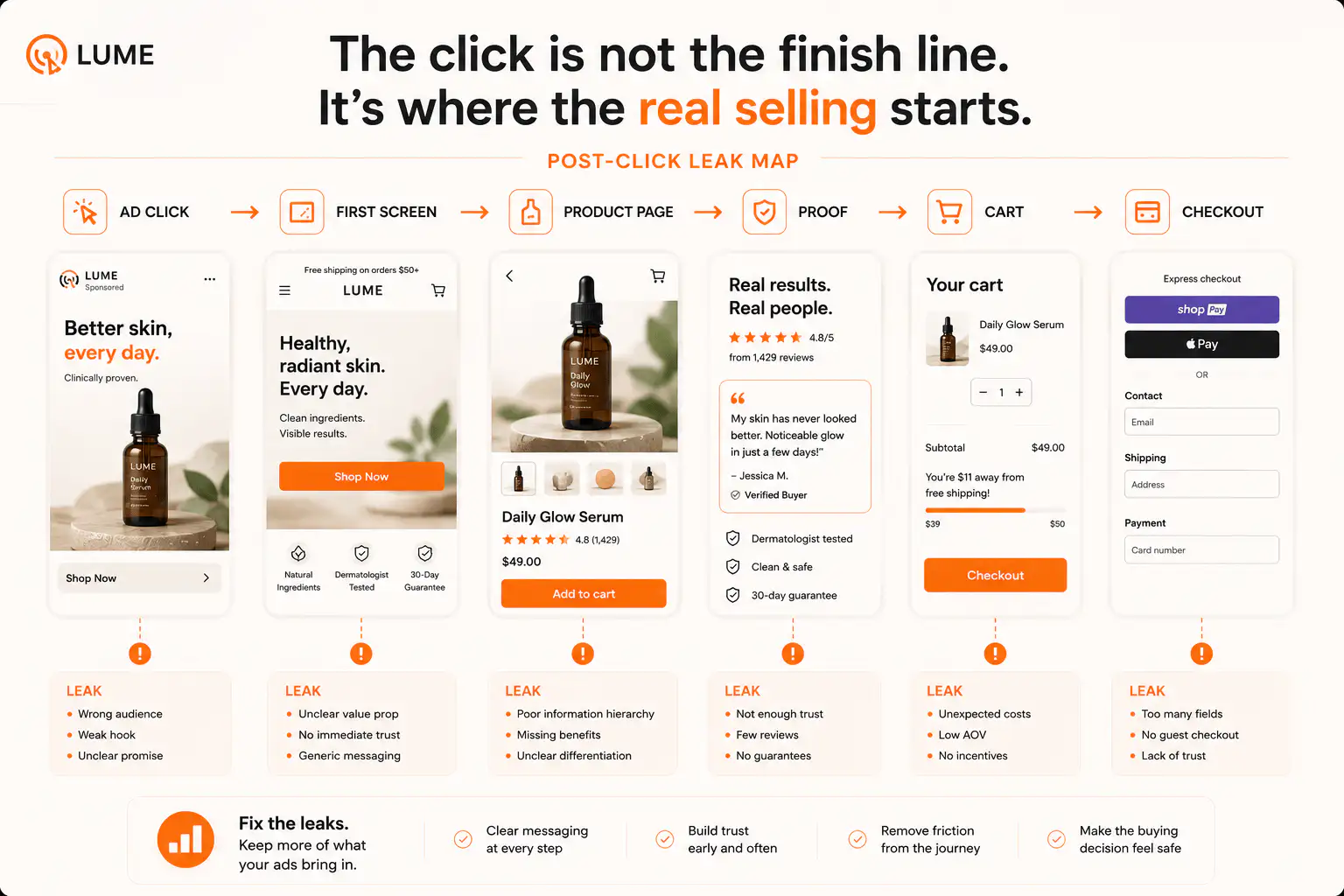
What is the practical fix order?
- Document the exact buyer-visible mismatch with product URL, variant, market, device, and address.
- Check variant inventory tracking, quantity, continue-selling policy, and Online Store publishing.
- Check active locations, app-managed fulfillment locations, and whether the stocked location can fulfill online orders.
- Check markets, catalogs, B2B/customer-group availability, and shipping-zone eligibility.
- Run a real buyer-path test from PDP to checkout for the affected country or region.
- Only then inspect theme and app code for selected-variant state, button logic, quick-add behavior, sticky ATC, and cart drawer handoff.
- Rewrite PDP/cart availability copy after the operational truth is confirmed.
Need the inventory promise mapped across the buying path?
If stock, sold-out, preorder, market, or fulfillment states are confusing shoppers, get a Store Autopsy. We will trace the product page, variant selector, cart, checkout, and market path before you change ads or add another app.
FAQ
Why does my Shopify product show sold out when I have inventory?
The stock may not be available to the online buyer path. Check the exact variant, inventory tracking, Online Store publishing, active fulfillment locations, market availability, shipping zones, and any fulfillment app managing that product.
Why can customers buy a Shopify product that is out of stock?
This usually happens when inventory is not tracked, continue-selling is enabled, a preorder/backorder setup is active, or custom theme/app logic ignores the selected variant's real availability state.
Can Shopify Markets make products unavailable by country?
Yes. Markets and catalogs can change which products, prices, currencies, and experiences are available to different customers. Always test the product as the affected market, not only from your default location.
Is inventory mismatch a theme bug or a Shopify settings problem?
It can be either. Verify admin data, locations, markets, shipping, and inventory policy first. If those are correct, test the theme's variant picker, product form, quick-add, sticky CTA, and cart drawer behavior.
What should a PDP say when an item is preorder or backorder?
It should state the preorder or backorder status near the CTA, explain payment timing, estimated ship window, cancellation policy, and whether other items in the cart ship separately.
Sources and verification notes
- Shopify Help, selling out of stock products, retrieved 2026-07-21
- Shopify Help, setting up inventory tracking, retrieved 2026-07-21
- Shopify Help, order fulfillment for locations, retrieved 2026-07-21
- Shopify Help, fulfillable inventory, retrieved 2026-07-21
- Shopify Help, managing markets and product availability, retrieved 2026-07-21
- Shopify Community, products showing sold out with available inventory, retrieved 2026-07-21
- Shopify Community, out-of-stock items still available to purchase, retrieved 2026-07-21