Field notes/Product Page & CRO
Shopify Add-to-Cart Silently Fails: When Theme JavaScript Breaks the Buying Path
If traffic looks normal but carts or purchases drop, test the actual buying path before blaming ads. Add-to-cart failures often come from variant state, theme JavaScript, app conflicts, sticky bars, or mobile-only cart behavior.
A Shopify add-to-cart failure is not always a visible error. The button can appear to work while the wrong variant is added, the cart drawer stalls, mobile shoppers lose their selection, or checkout receives incomplete line-item data. Treat the issue as a buying-path QA problem: test the product page, selected variant, cart response, cart drawer, checkout handoff, recent theme edits, and third-party scripts before changing campaigns or prices.
Why does Shopify add-to-cart fail silently?
Shopify add-to-cart can fail silently when the storefront looks clickable but the product form sends the wrong or incomplete data to cart. The common causes are broken theme JavaScript, stale variant IDs, mobile sticky bars that are not synced with the main product form, cart drawer errors, popups blocking taps, app scripts that delay or override product-form behavior, and recent theme edits that changed variant, inventory, or line-item property handling. The store owner often sees normal sessions and assumes ads are weak, while buyers are actually hitting a broken buying path. Test the path like a buyer: choose variants, add to cart, inspect the cart line item, proceed to checkout, and repeat on mobile.
Key takeaways
- A normal traffic graph does not prove the buying path works. Add-to-cart can fail silently when theme JavaScript, variant state, or cart drawer code breaks.
- Mobile-only failures are common because sticky bars, drawers, popups, slow scripts, and variant selectors behave differently from desktop.
- Start with a clean test order path before changing ads: PDP, variant selection, /cart/add behavior, cart line item, checkout, shipping, and payment loading.
- If the wrong variant enters cart, inspect selected variant IDs, option state, product form data, and any app that rewrites the buy box.
A Shopify add-to-cart bug is easy to miss because it rarely announces itself as one clean failure. The button might spin forever. It might add the first available variant instead of the selected one. It might open an empty drawer. It might work on desktop and fail on mobile. It might add the product, then lose the quantity, subscription, personalization, or bundle context before checkout.
That makes it different from a weak conversion rate. A weak conversion rate can be caused by offer, trust, traffic, pricing, shipping, or page clarity. A broken add-to-cart path is more mechanical: the buyer was close enough to act, then the storefront failed to carry that intent into cart.

What symptoms point to a real add-to-cart break?
A real add-to-cart break usually shows a sharp or device-specific change, not a slow marketing problem. Look for normal sessions with sudden cart loss, mobile add-to-cart lower than desktop, support messages about wrong sizes, checkout starts dropping to near zero, or abandoned carts containing unexpected variants.
- Buyers say the product changes size, color, pack, or quantity after they add it.
- The add-to-cart button works before variant selection but fails after a variant changes.
- The cart drawer opens with no product or stale product data.
- Mobile buyers tap the sticky CTA and get a default variant.
- Checkout starts fall suddenly after a theme edit, app install, or section change.
- A product works on one template but fails on another template.
- The button stays in an adding or loading state.
If buyers can add a product correctly in a clean desktop browser but not on mobile, do not start with pricing or ad targeting. Start with mobile JavaScript, sticky CTA state, overlays, cart drawer code, and delayed third-party scripts.
Why does the wrong variant get added to cart?
Wrong-variant cart bugs usually happen when the visible option selector and the submitted variant ID stop agreeing. Shopify's Ajax Cart API expects cart updates to submit variant IDs for the current session. If the storefront keeps the default ID after the buyer changes options, cart receives the wrong product state.
A recent Shopify Community thread described a mobile-only case where choosing a size still added the smallest default size. The useful lesson is not that every store has the same bug. The lesson is that speed, missing mobile elements, and app scripts can stop variant selection JavaScript from updating before add-to-cart runs.
| Symptom | Likely cause | What to test |
|---|---|---|
| Selected size becomes default size | Variant ID is not updating | Inspect selected variant ID before submit |
| Works on desktop, fails on mobile | Mobile selector, sticky CTA, or drawer state is desynced | Repeat the same variant test on real mobile |
| Button disables after variant change | Theme JS error after option event | Check browser console and product form state |
| Cart opens empty | Ajax request fails or drawer render breaks | Watch Network tab for /cart/add.js and /cart.js |
| Custom option missing in cart | Line-item property or app data not submitted | Test the exact add-on/personalization path |
What should you test before changing ads?
Run the buying path before touching campaigns. Ad dashboards cannot tell you whether a product form submits the right variant, whether a cart drawer renders, or whether checkout receives a valid cart. A short manual QA pass is faster than a week of wasted budget.
- Open the PDP in a fresh browser session and on a real phone.
- Choose every required option: size, color, quantity, subscription, add-on, or custom field.
- Tap the main add-to-cart button and confirm the cart line item is correct.
- Repeat with any sticky add-to-cart bar or accelerated checkout button.
- Change the variant after the page loads and add again.
- Try the fastest realistic tap: select option, then immediately add to cart.
- Proceed to checkout and confirm price, quantity, shipping, taxes, and payment options load.
- Repeat after disabling nonessential popups or apps in a preview theme if the bug is inconsistent.
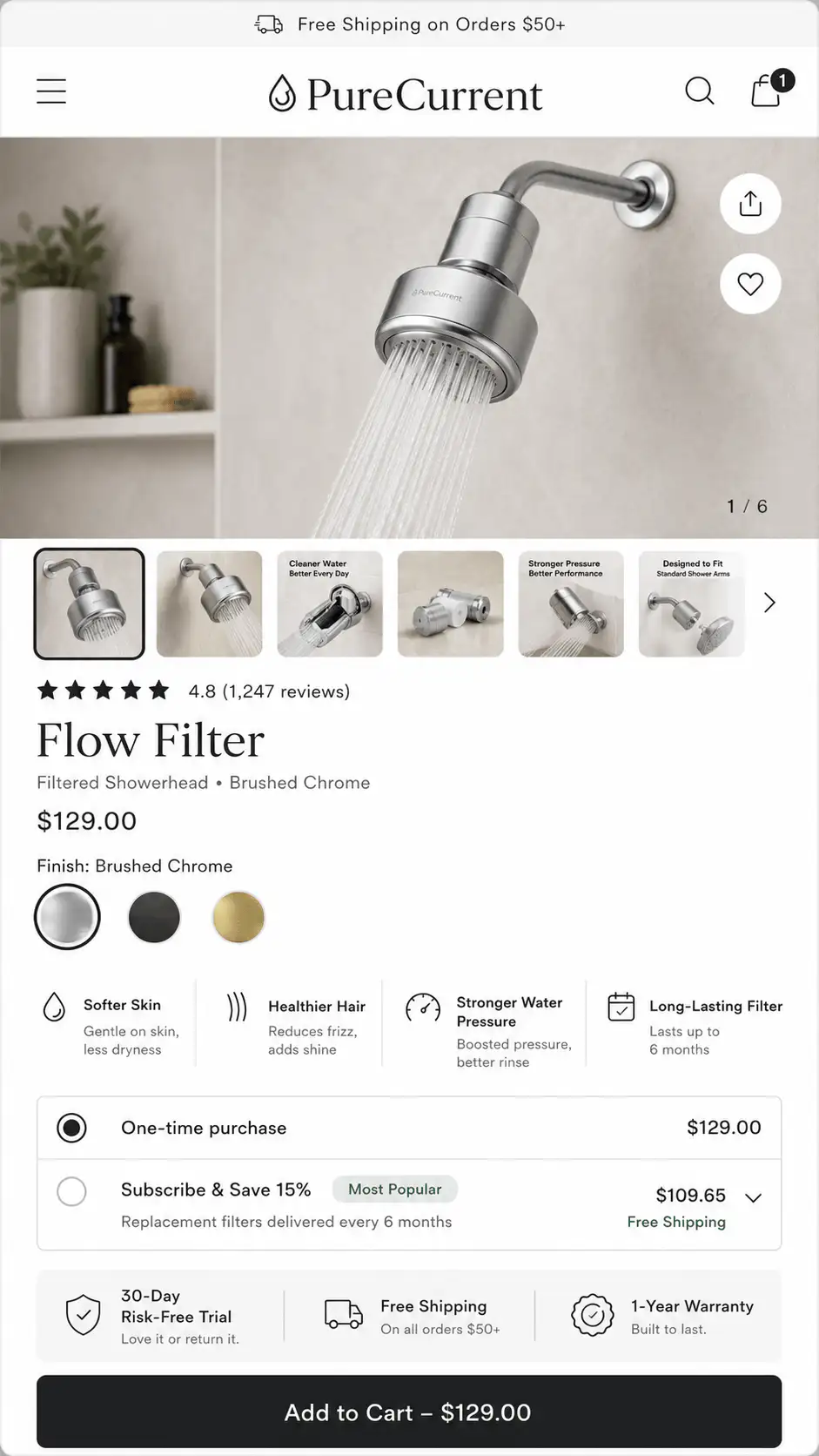
How can theme JavaScript break the buying path?
Theme JavaScript often controls variant switching, price updates, image changes, button availability, inventory labels, cart drawer rendering, and Ajax add-to-cart. When that code breaks, the storefront may still look fine. The buyer only sees the problem after a click.
Recent edits matter. A harmless-looking change to a product section, subscription widget, review app, popup, or cart drawer can change event listeners, form fields, or DOM elements the theme script expects. If the issue started suddenly, compare the timing against theme updates, app installs, custom Liquid edits, and marketing scripts.
- Look for console errors on product pages, especially after changing variants.
- Check whether the product form contains the current variant ID at submit time.
- Confirm disabled or sold-out states change when variants change.
- Confirm cart drawer code handles success and error responses.
- Test whether third-party scripts delay the product form from becoming interactive.
- Roll back or preview recent Liquid changes when the timing matches the drop.
When is the cart drawer the problem?
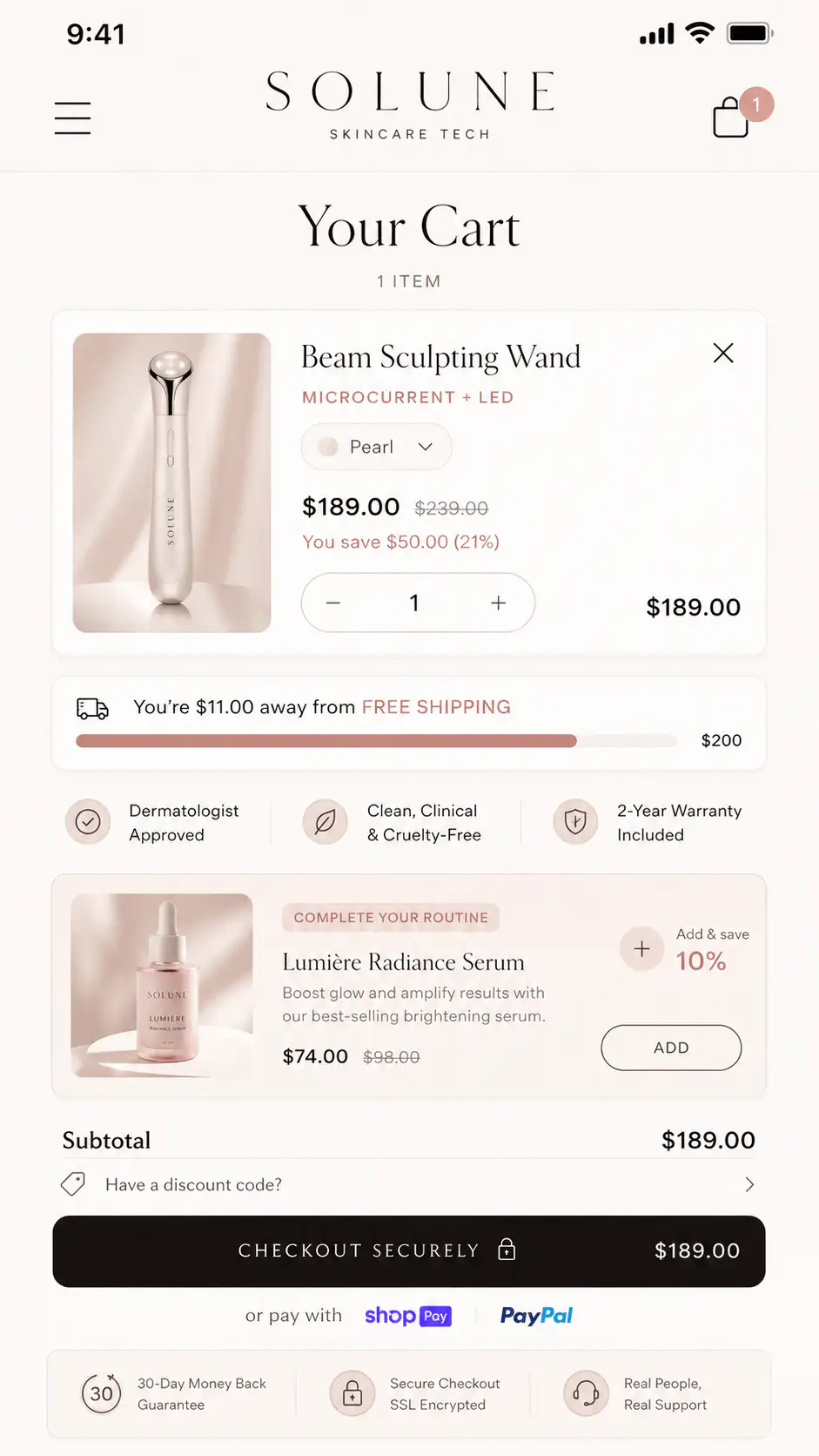
A cart drawer can make the store feel faster, but it adds another JavaScript layer between add-to-cart and checkout. If the Ajax add succeeds but the drawer render fails, the buyer may think nothing happened. If the drawer shows stale data, the buyer may see the wrong product or price.
Test both outcomes separately. First, confirm the /cart/add.js request succeeds. Then confirm the drawer UI shows the correct line item, quantity, price, variant, and next action. If the cart page works but the drawer does not, the issue is probably the drawer, not Shopify checkout.
How do you separate low traffic from a real break?
Low traffic creates noise, but functional failures create repeatable evidence. If one manual path fails twice, fix the path before interpreting conversion rates. If the path works on multiple devices and browsers, then return to ordinary CRO diagnosis: offer clarity, trust, shipping, proof, page speed, and traffic quality.
| Evidence | Interpretation | Next move |
|---|---|---|
| Manual mobile test fails | Likely storefront function issue | Debug theme, app, sticky CTA, or drawer |
| Wrong variant appears in cart | Variant state mismatch | Inspect form ID and option events |
| Add-to-cart works, checkout fails | Checkout, shipping, payment, or cart data issue | Run test checkout and inspect rates/payment |
| Everything works, conversion still weak | Buyer confidence issue | Audit PDP, cart, proof, shipping, and offer |
| Only one campaign performs badly | Traffic or promise mismatch may matter | Compare landing path by channel and creative |
What should a non-developer store owner do first?
Do not start by installing another product-options app. First collect a clean reproduction. Record the device, browser, product URL, selected options, whether the main CTA or sticky CTA was used, what entered cart, and whether checkout loaded. A developer can fix a repeatable bug much faster than a vague sales drop.
If the issue started after an app install, turn the app off in a duplicate or preview theme when possible. If it started after a code edit, inspect recently edited Liquid, JavaScript, and section files. If it appears only under fast tapping or slow loading, look for heavy third-party scripts delaying product-form initialization.
When a store asks whether ads stopped working, test the shortest purchase path first. If the path cannot reliably move one selected product from PDP to cart to checkout, every marketing diagnosis is premature.
What should the fix preserve?
The fix should preserve buyer confidence, not only restore a click handler. The selected variant should update price, media, inventory, CTA state, cart line item, checkout review, and confirmation. If any layer disagrees, buyers can still abandon because the store feels unreliable.
- Selected variant and cart variant match.
- Product media follows the selected option when visual proof matters.
- Price, discounts, subscription terms, and quantity update before add-to-cart.
- Sold-out and unavailable states block impossible purchases clearly.
- Cart drawer and cart page show the same item state.
- Checkout loads the same product, quantity, price, and fulfillment expectations.
- Error messages are visible when add-to-cart fails.
Not sure whether the leak is ads, tracking, or the store path?
If sales dropped and you are not sure whether ads, tracking, theme code, or checkout is the leak, get a Free Buying Journey First-Look. We will test the product page, variant state, cart behavior, checkout handoff, and obvious buyer-confidence gaps before you change campaigns.
FAQ
Why does Shopify add the wrong variant to cart?
The usual cause is a mismatch between the visible option selector and the variant ID submitted by the product form. Test whether changing size, color, or pack updates the submitted variant ID before the add-to-cart request runs.
Why does add-to-cart work on desktop but not mobile?
Mobile failures often come from sticky add-to-cart bars, overlays, delayed scripts, cart drawers, or mobile-only product section markup. Test the same product, option, and cart flow on a real phone before assuming traffic quality is the issue.
Should I replace my Shopify theme if add-to-cart breaks?
Not first. Reproduce the bug, check recent theme edits, app installs, console errors, product form data, cart drawer behavior, and mobile sticky CTA state. A targeted fix is usually better than a full theme replacement.
How do I know whether the cart drawer or Shopify checkout is broken?
Confirm whether the add-to-cart request succeeds and whether /cart.js contains the right item. If the cart data is correct but the drawer UI is wrong or stale, the drawer is the likely issue. If checkout fails after a correct cart, inspect shipping, payment, inventory, or checkout setup.
What should I document before asking a developer to fix add-to-cart?
Document product URL, device, browser, selected options, CTA used, expected cart item, actual cart item, console errors, screenshots, and whether the issue started after a theme edit or app install. A repeatable path is the fastest route to a fix.
Sources and verification notes
- Shopify Dev Docs, Ajax API overview, retrieved 2026-07-15
- Shopify Dev Docs, Cart API reference, retrieved 2026-07-15
- Shopify Community, Wrong variant automatically adding to cart, retrieved 2026-07-15
- Shopify Community, Add to Cart button not working, retrieved 2026-07-15
- Shopify Community, Add to Cart button not working on mobile, retrieved 2026-07-15
- Reddit r/shopify, Shopify store traffic but no sales discussion, retrieved 2026-07-15