Field notes/Product Page & CRO
Shopify Quantity Breaks: When Volume Discounts Confuse the Buying Decision
Quantity breaks can lift order value, but unclear discount logic can make buyers question what counts, what they save, and whether the discount will appear before checkout.
Quantity breaks are not only a pricing tactic. They are part of the buying interface. If a Shopify shopper cannot understand which products count, how many items unlock the next tier, whether variants count together, and where the savings appear, the offer creates hesitation instead of higher order value.
What is a Shopify quantity break?
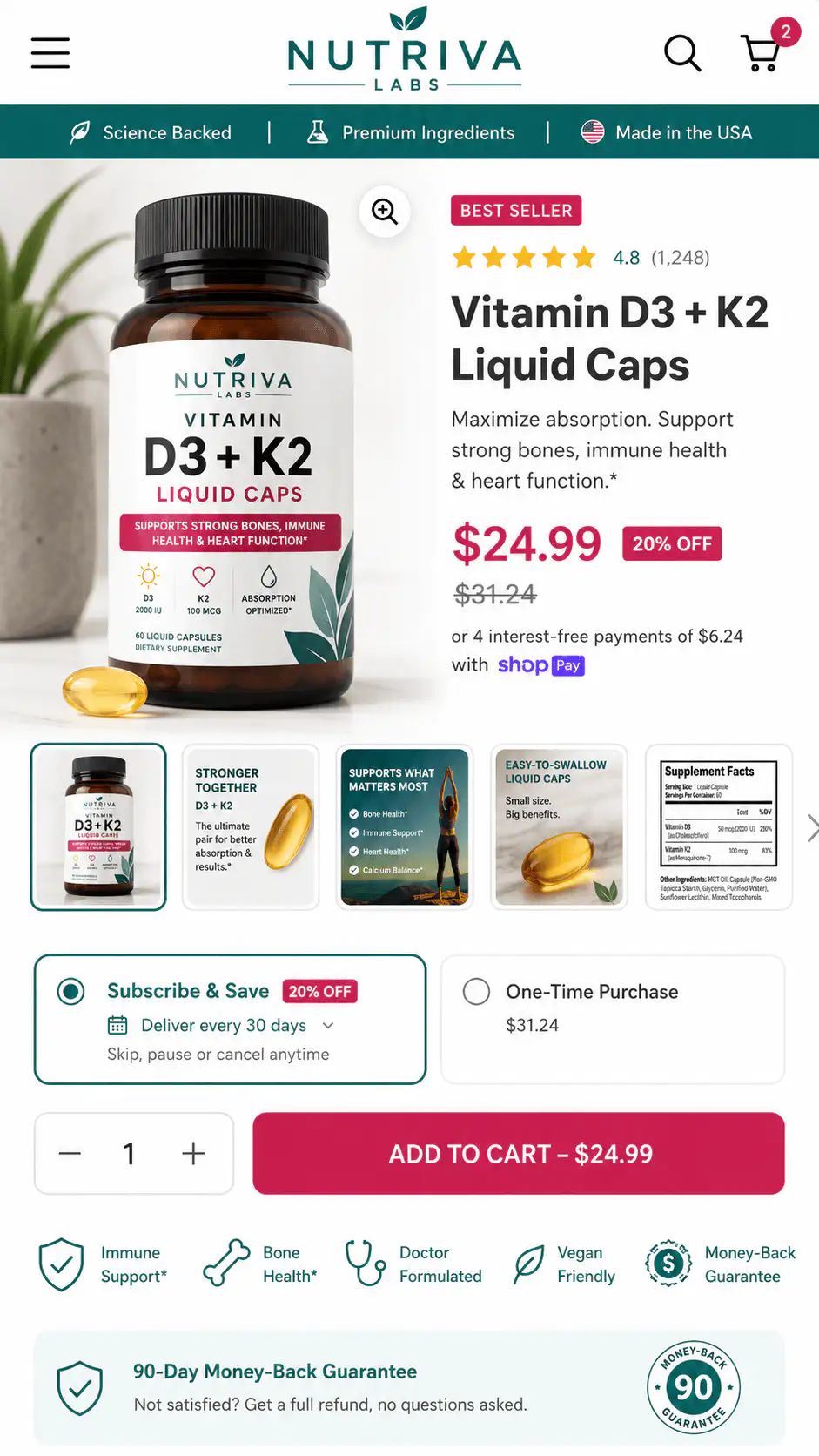
A Shopify quantity break is a volume-based offer where the shopper gets a better price, percentage discount, free item, or bundle value after buying a required quantity. It can be simple, such as buy 3 of the same product and save 10%, or more complex, such as mix any 4 items from a collection and get the cheapest item discounted. The conversion problem is not only whether Shopify can calculate the discount. Buyers need to understand what counts, what they save, whether variants count together, when the discount appears, and whether it combines with other offers. Strong quantity-break UX makes the next tier obvious on the product page and confirms the exact savings in cart before checkout. Show the tiers next to the quantity selector, label the most popular tier only if it really is, and make sure the cart and checkout show the same discount the product page promised.
Key takeaways
- Quantity breaks work best when the buyer can see the threshold, savings, eligible items, and cart confirmation before checkout.
- Same-SKU quantity breaks, variant-based tiers, mix-and-match bundles, and Buy X Get Y offers need different page and cart messaging.
- Shopify native discounts can cover some offers, but customers may still need to add qualifying items manually and discount combinations can affect what appears in cart.
- The fix is usually not another discount app first. Start by clarifying the offer logic across PDP, cart, checkout, and confirmation.
A quantity break can look like a clean AOV tactic from the merchant side. Add a tier table, set a discount, and invite buyers to increase quantity. From the shopper side, it can be much messier: Does this apply to one product only? Can I choose different colors? Does size count as the same product? Will the discount show now or only after checkout?
That uncertainty matters because the buyer is being asked to buy more than they planned. The store has to make the extra commitment feel obvious, fair, and reversible. If the offer creates calculation work, shoppers may add fewer items, test the cart, abandon, or contact support instead of completing the order.
When do quantity breaks help conversion?
Quantity breaks help when the buyer already has a reason to buy more and the discount removes a small remaining objection. Replenishable products, gifts, household consumables, replacement parts, event supplies, B2B packs, and multi-user products are natural fits. The buyer can imagine using more than one unit.
They are weaker when the store uses a discount to compensate for unclear product value. If the shopper does not understand why one unit is worth buying, a three-pack discount rarely fixes the problem. It can even make the product feel inflated because the better price appears only after a larger commitment.
| Offer type | Works best when | Common UX risk |
|---|---|---|
| Same-SKU quantity break | The buyer may need multiples of the exact item | Tier table is hidden or does not update quantity |
| Variant quantity break | Sizes, colors, or flavors can count together | Buyer cannot tell whether variants combine |
| Mix-and-match bundle | Products belong to one use case or routine | Eligible products and excluded products are unclear |
| Buy X Get Y | Reward item is useful and easy to identify | Buyer expects the free item to appear automatically |
| Volume discount by spend | Cart value threshold is easy to reach | Savings appear too late or conflict with other codes |
What should the product page explain?
The product page should explain the discount before the shopper has to manipulate the cart. A good quantity-break section answers four questions quickly: what qualifies, what changes at each tier, how the buyer selects the eligible items, and where the discount will be confirmed.
- Show the minimum quantity and next tier near the quantity selector or bundle module.
- Use plain labels such as Buy 2, save 10% instead of abstract tier names.
- State whether variants count together or separately.
- State whether the offer works across a collection, product family, or exact SKU only.
- Show the expected savings before cart when possible.
- Explain any excluded sale items, subscriptions, gift cards, or already discounted products.
- Avoid making the buyer discover the rule by adding items one at a time.
If a buyer needs to test the cart to understand the offer, the PDP has not explained the quantity break. Cart confirmation should reinforce the decision, not be the first place the rule becomes clear.
How should same-SKU and mix-and-match offers differ?
Same-SKU offers can be compact because the buyer is choosing one product and a quantity. The interface can use a tier selector, quantity stepper, pack cards, or a simple table. The key is making the selected quantity change the visible unit price and savings.
Mix-and-match offers need more guidance. The shopper is not only increasing quantity; they are building a set. The page has to show eligible products, progress toward the threshold, and whether different variants or product types count together. If the offer spans multiple PDPs, the collection page and cart need to carry the rule too.
| Question | Same-SKU answer | Mix-and-match answer |
|---|---|---|
| What counts? | More units of this product | Eligible products in a defined set |
| Where to choose? | PDP quantity selector or pack cards | PDP add-on module, collection, or bundle builder |
| What to confirm? | Quantity, unit price, savings | Included items, threshold progress, discount |
| What can break trust? | Tier price does not update | Cart says some items do not qualify |
| Best visual | Tier cards or table | Chooser cards with progress state |
Where does Shopify discount behavior create confusion?
Shopify's native discount system is useful, but the buying journey still needs clear explanation. Shopify's Buy X Get Y documentation says customers must add all applicable items to the cart; the free or discounted item is not automatically added. That is a technical rule, but shoppers experience it as an expectation gap if the page says free gift or buy more, save more without explaining the action.
Discount combinations can also change what the shopper sees. Product, order, and shipping discounts may combine only when the rules allow it. If a quantity break conflicts with a welcome code, subscription discount, sale price, or free-shipping threshold, the store should not wait until checkout to reveal that one offer was removed.
- Name the offer in buyer language before using app or admin terminology.
- Show whether the discount is automatic or requires a code.
- If a reward item must be added manually, say that next to the offer.
- If offers do not combine, state the priority before cart.
- Confirm the applied discount and savings in the cart line item or order summary.
- Show a helpful error state when the cart is one item short.
What should the cart confirm?
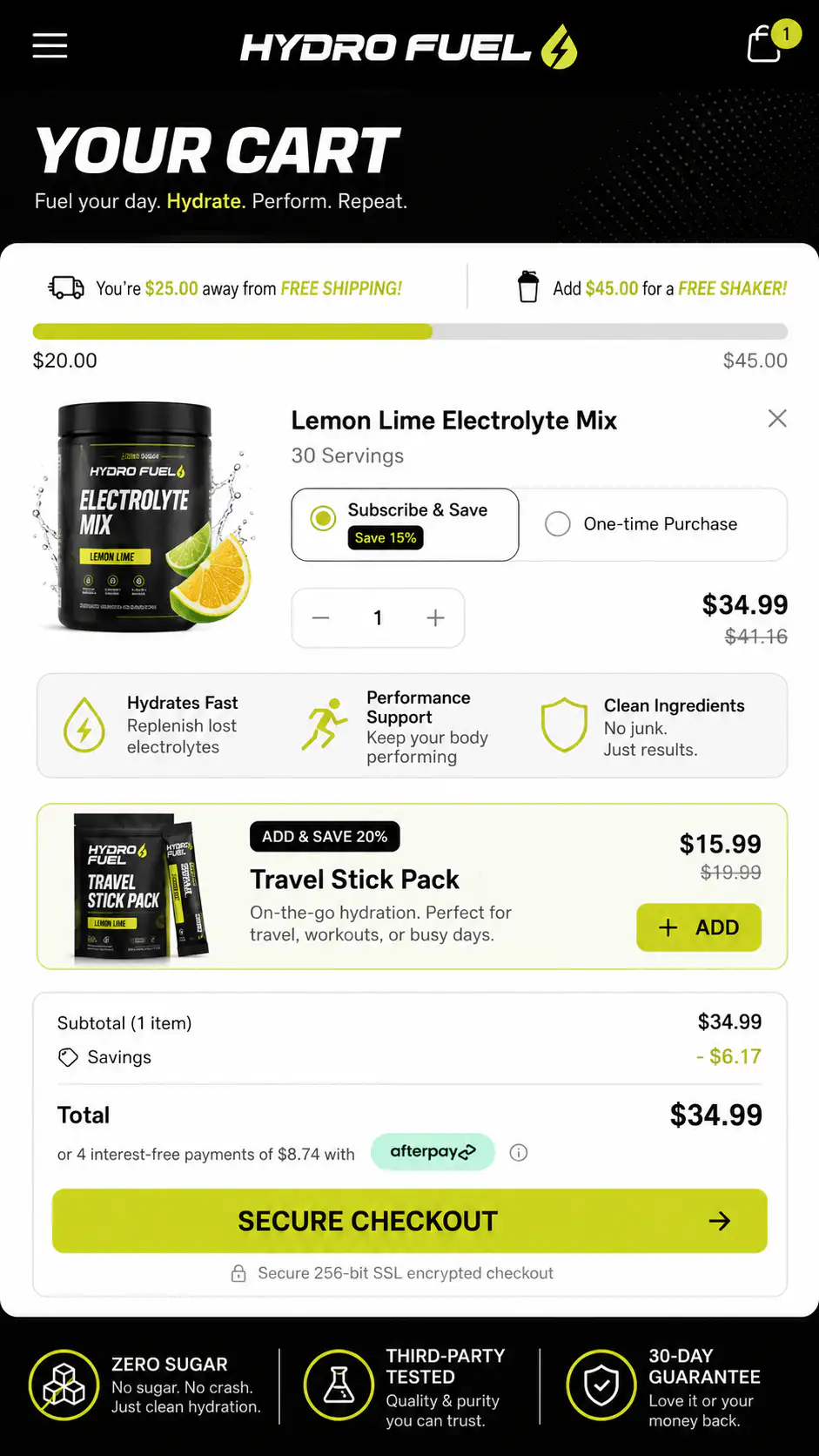
The cart should make the discount feel real. If the PDP said Buy 4 and save 15%, the cart should not force the buyer to infer that from a lower subtotal. Show the threshold reached, the discount applied, the products that counted, and the next useful action.
- Line items show correct quantity, variant, and pack contents.
- The cart names the discount instead of only showing a negative amount.
- A progress message says when the next tier is close, but only when the next tier is realistic.
- The cart does not promote a threshold that excludes the current product type.
- Savings survive checkout and match the order summary.
- Subscription, sale, and discount-code conflicts are explained before payment.
When is a bundle card better than a discount table?
A discount table is good when the buyer only needs to compare quantities. It is weaker when the buyer needs help choosing the right combination. For routines, kits, gifts, replenishment sets, or product families, a bundle card can be clearer because it packages the decision: what is included, who it is for, what it replaces, and why the combined order makes sense.
Use pack cards when the main question is how many. Use chooser cards when the main question is which items. Use a bundle builder only when shoppers genuinely need customization and the store can keep progress, price, and eligibility visible on mobile.
| Use this UI | When the buyer needs | Avoid when |
|---|---|---|
| Tier table | A fast price-by-quantity comparison | Variants or product eligibility are complex |
| Pack cards | A simple choice between 1-pack, 2-pack, 4-pack | The pack contents need customization |
| Chooser cards | Help picking products in one routine | There are too many similar choices |
| Bundle builder | Custom combinations with clear progress | Mobile flow becomes long or fragile |
| Cart upsell | A small add-on after commitment | The offer changes the core product decision |
How do you check whether the offer is hurting buyers?
Do not judge quantity breaks only by whether the app installed correctly. Audit the buyer path. Start on a mobile PDP, choose a variant, select the discount tier, add products, inspect cart, apply any common discount code, and proceed to checkout. The store should explain every price change before the buyer feels tricked.
- Can a new shopper explain the offer after seeing the PDP for five seconds?
- Does the quantity selector or pack card update price and savings immediately?
- Does the page say whether variants count together?
- Can the shopper identify eligible mix-and-match products without guessing?
- Does the cart show the discount name, amount, and qualifying items?
- Does checkout match the cart total?
- Do common discount codes, subscriptions, sale prices, or free-shipping thresholds conflict?
- Does the mobile flow stay readable without horizontal tables or hidden terms?
If the offer needs more than one sentence to explain, design the offer UI before choosing the discount mechanism. The app or native discount should serve the buying path, not define it.
What should ecommerce operators fix first?
Start with offer clarity, not app selection. Write the offer in one plain sentence. Identify the qualifying items. Decide where the buyer chooses quantity or products. Decide where savings need to appear. Then choose the simplest implementation that can keep those states consistent from PDP to cart to checkout.
If a simple same-SKU discount solves the problem, do not turn it into a bundle builder. If the offer depends on cross-product logic, do not hide it inside a checkout-only discount. The more complex the rule, the earlier and more visibly the page must explain it.
Unsure whether your discount is raising AOV or creating doubt?
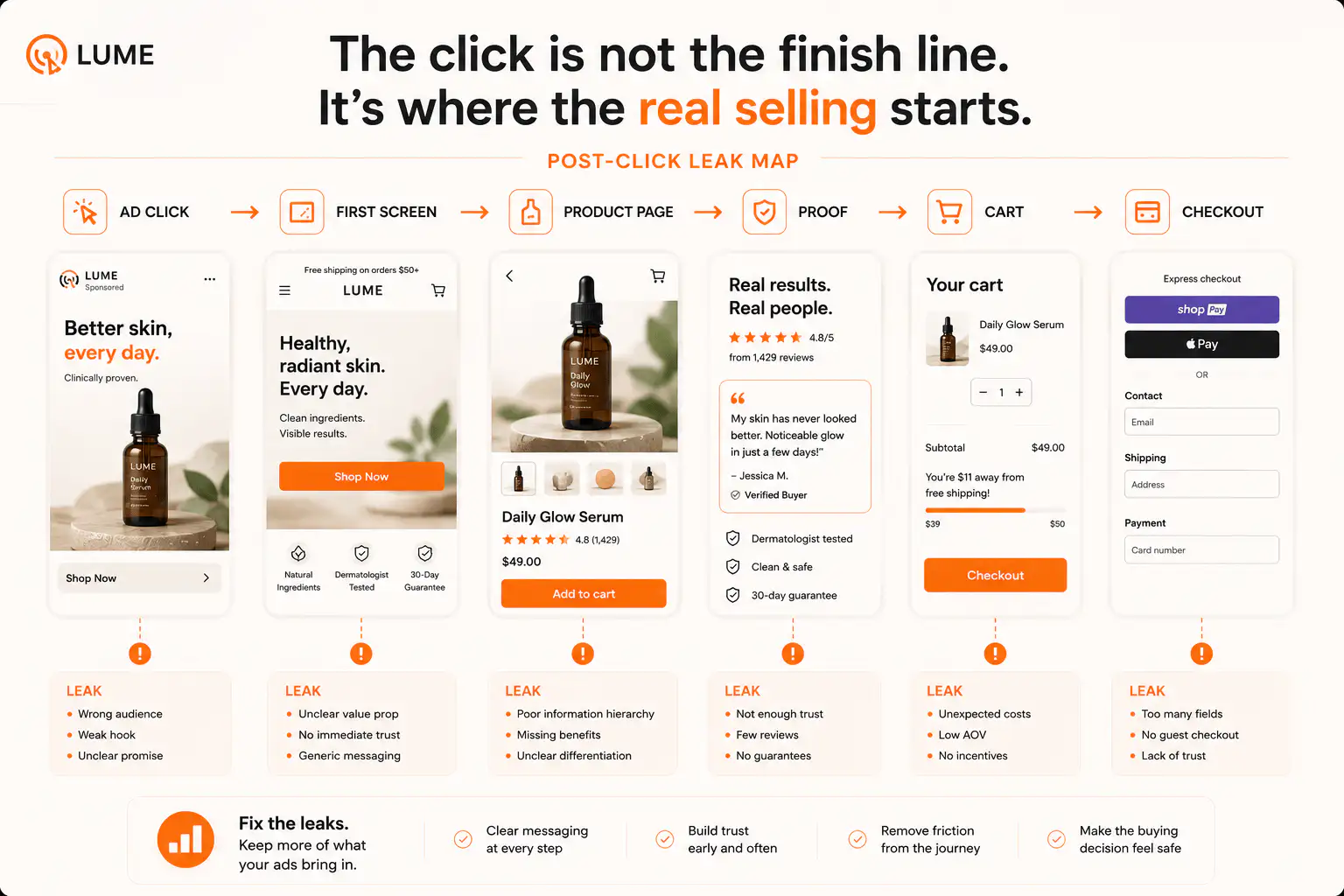
If quantity breaks, bundles, or discount apps are making the buying path harder to understand, get a Free Buying Journey First-Look. We will review the PDP offer, mobile selection flow, cart confirmation, checkout handoff, and obvious discount conflicts before you add another app.
FAQ
Do Shopify quantity breaks work better on the product page or in the cart?
The product page should explain the offer and help the shopper choose the right quantity. The cart should confirm the discount, qualifying items, and savings. If the buyer only understands the rule in cart, the product page is doing too little.
Can Shopify native discounts handle Buy X Get Y offers?
Yes, Shopify supports Buy X Get Y discounts as codes or automatic discounts. Shopify's own documentation notes that customers must add all applicable products to the cart; the free or discounted item is not automatically added by the native rule.
Should variants count together for quantity breaks?
Only when that matches the buyer's mental model and margin rules. If colors, flavors, or sizes are interchangeable for the offer, say that clearly near the selector. If each variant counts separately, make that visible before cart.
Why do volume discounts sometimes reduce trust?
They reduce trust when shoppers cannot tell what qualifies, when savings appear late, when the cart total changes unexpectedly, or when a welcome code removes the quantity discount. The issue is usually unclear offer state, not the idea of volume pricing itself.
When should a Shopify store use a bundle builder instead of quantity breaks?
Use a bundle builder when shoppers need to assemble different eligible products and see progress toward a threshold. Use simple quantity breaks when the buyer is only choosing how many units or packs of one product to buy.
Sources and verification notes
- Shopify Help Center, Buy X Get Y discounts, retrieved 2026-07-16
- Shopify Help Center, Discount types, retrieved 2026-07-16
- Shopify Help Center, Combining discounts, retrieved 2026-07-16
- Shopify Community, Volume discount on product page, retrieved 2026-07-16
- Shopify Community, Bundle discount across multiple products, retrieved 2026-07-16
- Reddit r/shopify, Quantity break logic discussion, retrieved 2026-07-16