An AI-assisted Shopify redesign should not launch just because the homepage looks cleaner. Test whether shoppers can still understand products, choose variants, reach cart, see app-powered proof, trust checkout entry points, and complete the buying path on mobile.
- QA an AI-built Shopify redesign as a buying journey, not only a visual refresh.
- Start with product templates, collection cards, cart behavior, app embeds, mobile breakpoints, schema, analytics, and checkout entry points.
- Use real products, real variants, real app blocks, real mobile devices, and at least one test order before launch.
- Do not publish a generated theme until every revenue-critical page has a pass/fail owner and rollback path.
Before launching an AI-built Shopify redesign, test the complete buyer path with real products, not only the new visual layout. Check homepage links, collection filters, product templates, variant selectors, add-to-cart behavior, cart drawer or cart page, app embeds, review widgets, tracking pixels, structured data, mobile breakpoints, checkout entry points, and post-purchase pages. AI tools can move fast through Liquid, JSON templates, sections, and CSS, but they can also leave broken edge states: missing app blocks, duplicated CTAs, hidden product proof, invalid schema, sticky buttons that cover variant options, or cart logic that works on one product and fails on another. Treat the final QA pass as launch insurance for the buying journey.
AI-assisted Shopify theme work is moving from experiment to normal workflow. Founders are asking whether Codex, Claude Code, Shopify CLI, theme repositories, and AI design tools can rebuild real Shopify stores faster than a traditional redesign process.
The useful answer is not yes or no. AI can help produce sections, refactor Liquid, generate CSS, wire JSON templates, and speed up repetitive QA scripts. But the storefront still has one job: help shoppers choose and buy without losing trust. That part cannot be signed off from a pretty screenshot.
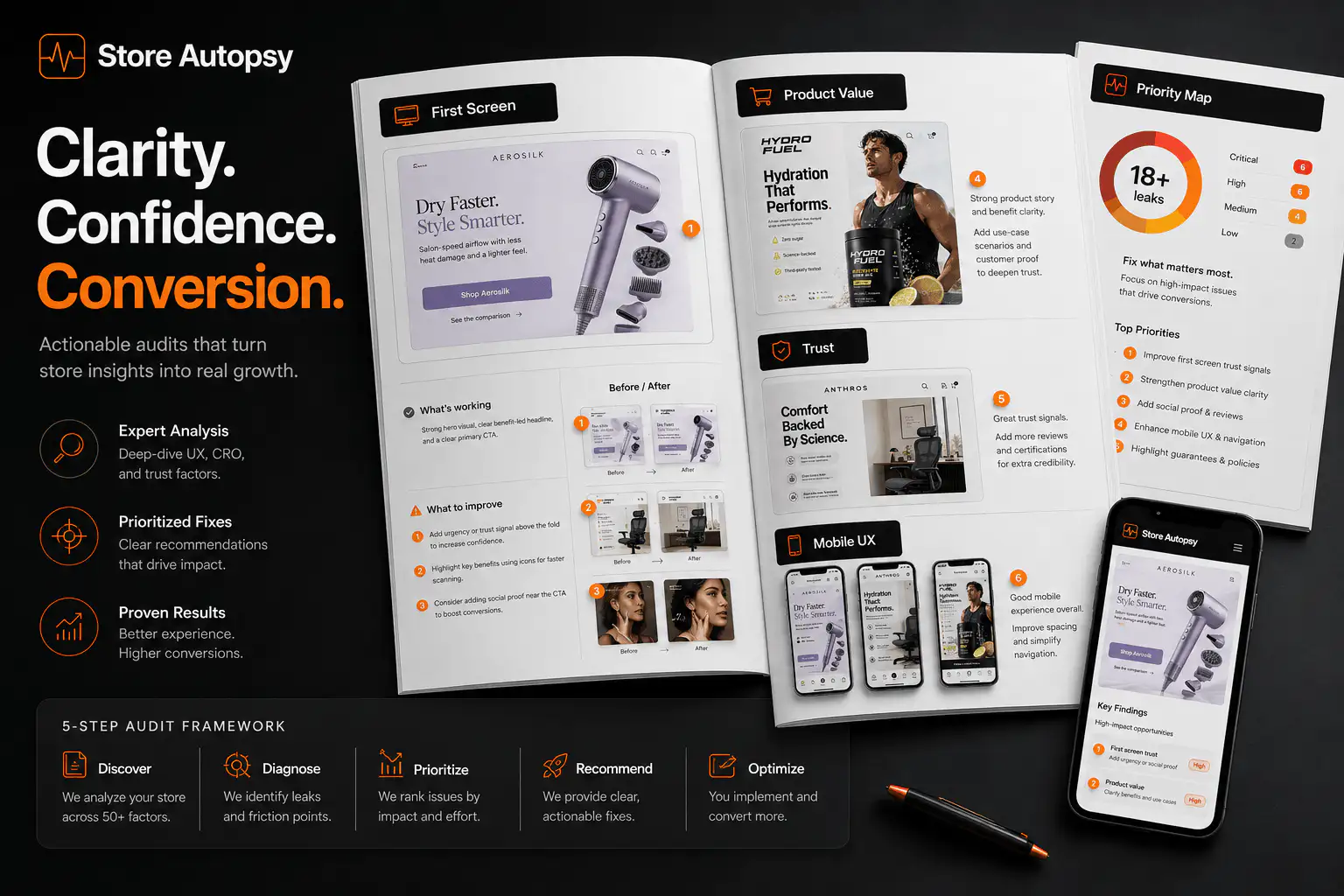
Why does AI-built Shopify QA need a different checklist?
A normal redesign can fail because strategy is weak. An AI-built redesign can fail for the same reason, plus a second layer of quiet implementation problems. The code may compile. The theme may preview. The homepage may look clean. Still, one product template can submit the wrong variant, one app embed can be disabled, one cart drawer state can hide shipping reassurance, or one mobile breakpoint can cover the CTA.
Public founder discussions around Codex and Shopify are already less about whether AI can edit themes and more about whether it can handle Liquid, sections, blocks, JSON templates, responsive design, and visual testing at production quality. That is the right concern. The QA pass needs to prove the buying path, not the tool.
| AI can speed up | QA must still prove |
|---|---|
| Section creation | The section has useful copy, correct hierarchy, and editable settings |
| Liquid edits | Product, variant, price, media, and cart state stay synced |
| CSS polish | Mobile controls remain tappable and do not hide buying cues |
| Template changes | Every product type still has the right proof, options, and CTA |
| App integration | Reviews, subscriptions, bundles, chat, and analytics still load where needed |
| Content generation | Claims, schema, FAQ, and metadata match visible page content |
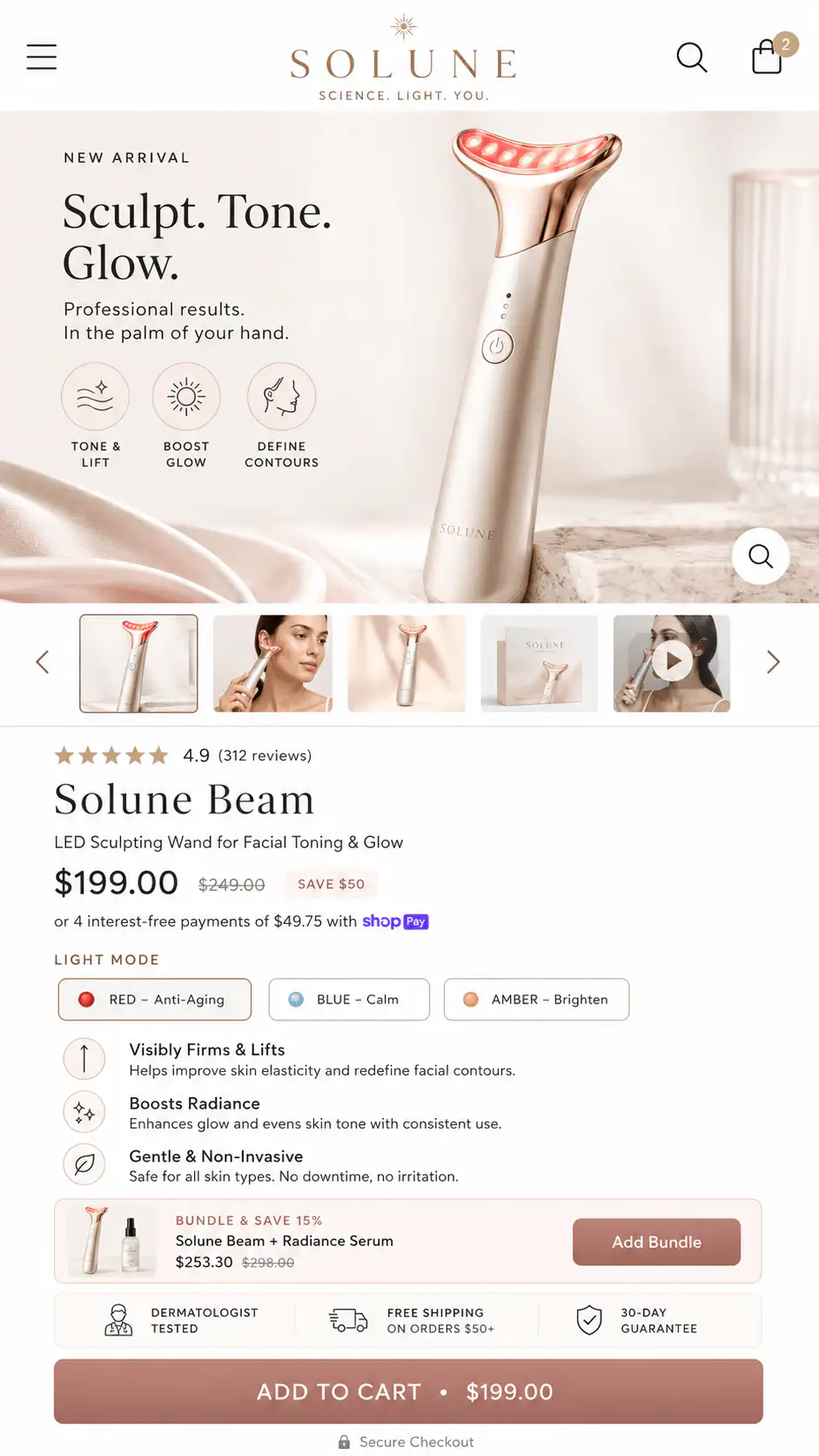
What should you test first on product pages?
Start with product pages because they carry the highest buyer risk. A product template can look finished while still failing the exact actions that create revenue: choosing a variant, understanding the offer, trusting the store, adding to cart, and moving to checkout.
- Open at least five real products: best seller, low-stock item, sale item, subscription item, and product with many variants.
- Switch every variant option and confirm image, price, compare-at price, SKU, inventory label, selected variant URL, and CTA update together.
- Test add-to-cart from the main button, sticky bar, quick-buy button, and any bundle or subscription module.
- Check whether reviews, star ratings, UGC, size guides, accordions, product recommendations, and trust blocks still appear on the right templates.
- Verify that the first mobile screen explains product, promise, proof, price, options, and next action before the shopper is asked to commit.
- Use a product with missing metafields and confirm the page degrades cleanly instead of showing blank labels, broken icons, or placeholder copy.
How should collection and product-card QA work?
Collection pages are easy to under-test because they feel lower risk than the PDP. They are not. Product cards decide whether shoppers choose the right item, compare the right options, and enter the product page with useful context.
- Check product-card image ratio across long, square, vertical, and transparent product images.
- Confirm sale price, compare-at price, badges, sold-out labels, color swatches, rating snippets, and quick-add controls do not overlap.
- Test filters and sorting after AI-generated layout changes, especially on mobile.
- Make sure collection cards do not show quick-add for products that require size, personalization, subscription, quote, or bundle choices.
- Open a filtered collection result and confirm browser back, pagination, and product return paths feel stable.
- Check empty states, no-result states, and collections with fewer products than the design mockup assumed.
| Product card state | QA risk | Pass condition |
|---|---|---|
| Simple product | Quick-add submits correctly | Cart receives one correct item |
| Variant product | Wrong default variant | Buyer sees or chooses required option |
| Sold-out product | False availability | Card label and PDP CTA agree |
| Sale item | Price mismatch | Card, PDP, cart, and checkout match |
| Subscription product | Recurring terms hidden | Card sends buyer to full PDP context |
| Custom product | Required field skipped | Quick-add is removed or rerouted |
What cart and checkout entry points break after theme changes?
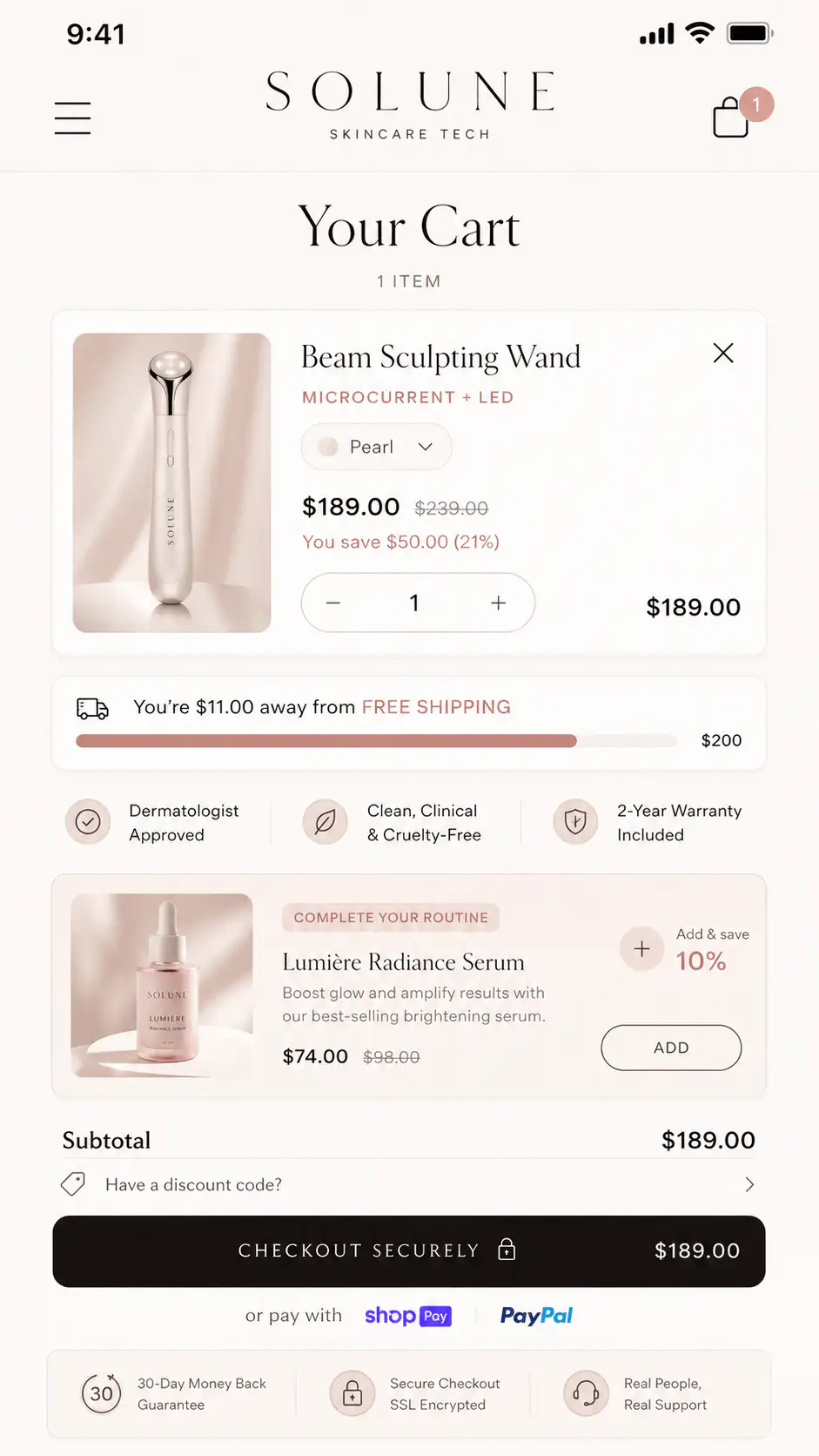
AI edits often touch the visible theme, but cart and checkout confidence depends on hidden connections: line item properties, cart attributes, app embeds, discount displays, shipping threshold logic, accelerated checkout buttons, and analytics events.
Shopify checkout itself is managed separately from the theme editor, but the storefront still controls how buyers reach checkout and what they believe before they get there. Test every path that can put an item in cart or send the shopper toward payment.
- Add one item, two quantities, two variants, and two unrelated products to cart.
- Remove an item and confirm subtotal, discount, free-shipping threshold, upsells, and checkout button update.
- Test cart drawer and cart page if both exist.
- Test checkout entry from main cart, sticky checkout, dynamic checkout, Shop Pay, and any express payment button.
- Confirm custom product fields, engraving, gift notes, bundle children, subscription terms, and preorder notes survive from PDP to cart.
- Run one test checkout far enough to verify shipping, payment, tax, discount, and order confirmation behavior.
How do app embeds and third-party blocks fail quietly?
Shopify theme app extensions and app embed blocks can add product reviews, ratings, badges, chat bubbles, image badges, subscriptions, product options, and other dynamic elements. Shopify's documentation notes that merchants often need to activate app embed blocks in the theme editor after installation.
That matters after an AI-assisted redesign because a duplicate or new theme may not carry every app block exactly as expected. A generated layout can remove the placeholder where an app block lived, create a new template that does not include the block, or style it so badly that it looks broken.
- List every revenue-critical app: reviews, subscriptions, bundles, upsells, chat, product options, size guide, loyalty, back-in-stock, analytics, and pixels.
- Check whether each app is active in the new theme, not only installed in the store.
- Verify app blocks on every product template, not only the default product.
- Check load order and layout shift on mobile.
- Test disabled-app behavior in a duplicate theme if the app caused broken spacing or scripts.
- Document which app owns each buying promise so support and developers know where to debug.
What mobile QA matters most?
Mobile QA is not just shrinking the desktop design. It is checking whether a one-column buyer can still understand and act. AI-generated layouts often look acceptable at one viewport width and break at real device sizes, dynamic browser bars, translation lengths, sticky elements, and app overlays.
| Mobile checkpoint | What to inspect |
|---|---|
| First screen | Product identity, promise, proof, price, options, CTA, and risk cue appear in a useful order |
| Sticky CTA | Does not cover variant selectors, chat widgets, cookie bars, or cart messages |
| Media gallery | Swipe, thumbnails, videos, and image zoom do not trap the buyer |
| Accordions | Important shipping, returns, sizing, or materials content is not hidden too late |
| Forms | Personalization fields, email fields, and address fields are tappable and labeled |
| Cart drawer | Quantity, remove, discount, subtotal, and checkout controls fit without overlap |
How should schema, metadata, and static content be checked?
An AI-generated theme can accidentally damage the parts of a Shopify page that search engines and AI systems read: H1 structure, product JSON-LD, review schema, product attributes, metadata, canonical URLs, image alt text, and FAQ content.
Keep the rule simple: structured data should describe visible, truthful content. Do not let AI invent aggregate ratings, review counts, product claims, or FAQ answers that are not actually supported on the page.
- View source or use testing tools to confirm Product structured data exists on product pages.
- Check that each page has one visible H1 and sane H2/H3 structure.
- Confirm title tags and meta descriptions are unique on important templates.
- Check canonical URLs after collection, variant, blog, and filtered URLs.
- Validate that review/rating schema only appears when real review content is visible.
- Make sure generated answer blocks, FAQs, and product claims are static HTML, not hidden behind fragile client-side rendering.
What tracking and performance checks belong in launch QA?
A redesign can look successful while analytics quietly break. Before launch, verify the events that help the team know whether the new buying path works: product view, add to cart, cart view, checkout started, purchase, form submit, quiz submit, lead CTA, and important app events.
Performance also needs a practical check. Shopify's theme performance guidance calls out Theme Check for identifying issues like large CSS and JavaScript bundles, remote assets, parser-blocking JavaScript, and cross-file CSS dependencies. For a merchant launch, translate that into buyer impact: does the page become slow, jumpy, or blocked when real apps and media load?
- Run Lighthouse or equivalent checks on homepage, collection, PDP, cart, and one blog/service page.
- Check Largest Contentful Paint images and whether AI-added media is oversized.
- Watch layout shift when reviews, recommendations, chat, and cart drawer scripts load.
- Confirm tracking pixels are compatible with current checkout and customer-account setup.
- Use a fresh browser profile and mobile network throttle, not only a developer machine with cached assets.
- Record baseline metrics before launch so post-launch conversion changes can be interpreted.
What is the minimum launch test matrix?
For a small Shopify store, the minimum test matrix should still cover the pages and states that make money. For a larger catalog, add category-specific templates, markets, customer groups, subscription logic, bundles, and any app-owned flows.
| Area | Minimum test |
|---|---|
| Homepage | Navigation, hero CTA, featured products, mobile menu, footer, lead CTA |
| Collection | Filters, sort, product cards, quick-add, empty states, mobile cards |
| PDP | Variants, media, proof, app blocks, add-to-cart, sticky CTA, schema |
| Cart | Cart drawer/page, quantity, remove, discounts, shipping threshold, checkout entry |
| Checkout entry | Express buttons, Shop Pay, discount code, shipping, payment, order confirmation |
| Apps | Reviews, subscriptions, bundles, chat, product options, analytics, pixels |
| Mobile | iOS Safari, Android Chrome, sticky elements, keyboard, overlays |
| Rollback | Duplicate old theme, deployment notes, owner for fixes, launch window |
When should you delay launch?
Delay launch when a broken state affects product choice, price trust, cart accuracy, checkout entry, or post-purchase tracking. Cosmetic issues can be triaged. Buying-path defects should not be normalized just because the theme was produced quickly.
- Variant selection submits the wrong product or hides unavailable states.
- Cart quantity, discount, free-shipping threshold, or line-item properties are wrong.
- Review, subscription, bundle, or product-option apps are missing from important templates.
- Mobile sticky elements cover required fields or CTAs.
- Checkout entry is unclear, duplicated, or missing express-payment context.
- Product schema, metadata, or H1 structure is broken across templates.
- Tracking cannot distinguish whether conversion changed because of the redesign or because events broke.
How should founders use AI without creating launch risk?
Use AI where it is strong: scaffolding sections, creating repeatable QA scripts, comparing screenshots, refactoring duplicated Liquid, writing editable schema settings, and finding obvious inconsistencies. Keep human ownership over the buying argument, product truth, app dependencies, and launch decision.
The best workflow is not AI versus developer. It is AI plus a strict acceptance checklist. Every generated section should answer three questions: what buyer decision does this support, what store data does it depend on, and what test proves it still works after launch?
Launching an AI-assisted Shopify redesign?
If the new storefront looks ready but you have not stress-tested the product page, collection cards, cart, apps, mobile states, schema, and checkout entry points, get a Free Buying Journey First-Look before publishing.
FAQ
Can AI tools redesign a Shopify store safely?
They can help, but safety depends on QA. Treat AI-generated theme work as a draft until product templates, variants, cart behavior, app embeds, mobile states, schema, tracking, and checkout entry points have been tested with real products.
What is the biggest risk in an AI-built Shopify theme?
The biggest risk is a polished page that breaks a revenue-critical edge state: wrong variant, missing app block, broken cart drawer, hidden product field, invalid schema, mobile overlap, or tracking failure.
Should I test only the homepage before launching a redesign?
No. Test the homepage, collection pages, product pages, cart, checkout entry points, app blocks, mobile views, and at least one full test order. The homepage rarely carries the highest buying risk.
How many products should I test before launch?
At minimum, test a best seller, a product with variants, a sale item, a low-stock or sold-out item, and any product with subscriptions, bundles, personalization, preorder, or app-managed options.
When should a Shopify redesign launch be delayed?
Delay launch when buyers cannot choose the right product, trust the price, add to cart correctly, see required app content, complete mobile forms, enter checkout clearly, or when analytics cannot measure the new path.
Sources and verification notes
- Shopify Dev Docs, Testing your theme for the Shopify Theme Store, retrieved 2026-07-22
- Shopify Dev Docs, Theme Store testing checklist, retrieved 2026-07-22
- Shopify Dev Docs, Performance best practices for Shopify themes, retrieved 2026-07-22
- Shopify Dev Docs, JSON templates, retrieved 2026-07-22
- Shopify Dev Docs, About theme app extensions, retrieved 2026-07-22
- Shopify Dev Docs, Configure theme app extensions, retrieved 2026-07-22
- Shopify Help, Customizing checkout and accounts pages, retrieved 2026-07-22
- Reddit, Shopify store redesign with Codex discussion, retrieved 2026-07-22
- Shopify Community, AI in store design, retrieved 2026-07-22