Field notes/Product Page & CRO
Shopify Search and Filters: When Shoppers Cannot Find the Right Product
Search and filters fail when catalog data, product names, metafields, collection paths, and mobile discovery do not match how shoppers actually look for products.
If shoppers search, filter, or ask chat for help but still cannot reach the right product, the leak is usually not one broken search box. It is a product-discovery system problem: messy catalog data, weak filters, unclear product cards, poor zero-result handling, and mobile paths that make shoppers guess.
Why do Shopify shoppers fail to find the right product?
Shopify shoppers fail to find the right product when the store's catalog structure does not match how buyers describe their need. A shopper may search by problem, use case, gift recipient, compatibility, size, material, color, budget, or SKU fragment, while the store only supports brand names, product titles, tags, or broad collections. Search apps can improve relevance, synonyms, and merchandising, but they cannot fully repair weak product data. The first fix is to map the buying language, clean product names, add useful metafields, expose filters on collection and search pages, and make product cards answer enough context before the PDP click.
Key takeaways
- Shopify search and filters are conversion tools, not just catalog features.
- Messy titles, tags, metafields, variants, and product types make shoppers guess the right query.
- Large catalogs need structured filters for buyer-relevant attributes such as use case, compatibility, size, material, budget, and availability.
- Search apps help only after the underlying product data and buyer path are clean enough to support them.
Product discovery is where buying intent either sharpens or disappears. A shopper who opens search, filters a collection, or asks chat for a recommendation is usually not browsing randomly. They are trying to translate a need into a product choice.
That is why weak discovery is expensive. The store may have the right product, but the shopper never sees it, sees too many similar options, lands on the wrong product, or reaches the PDP without enough context to trust the next click.
When is search the symptom instead of the problem?
Search is the symptom when shoppers use the search box because navigation and collections do not make the right path obvious. If a shopper has to search for normal category terms, sizes, colors, gift use cases, or compatibility details, the store may be hiding buying paths that should be visible.
The source threads show this pattern clearly: large catalogs, technical specs, SKU-like queries, gift requests, and shoppers asking chat for help because normal browsing does not narrow the options. That does not mean the answer is always a better app. Sometimes the answer is cleaner catalog architecture.
| Symptom | Likely cause | First check |
|---|---|---|
| Search is used often but converts poorly | Results do not match buyer intent | Top queries, zero-result searches, clicked products |
| Shoppers ask chat for product help | Collections and filters do not support real use cases | Use-case, budget, occasion, and compatibility paths |
| Filters exist but are ignored | Filter labels do not match buying language | Filter order, mobile visibility, and values |
| Large collections get traffic but few PDP clicks | Product cards lack decision context | Card labels, proof, price, variants, and quick cues |
| SKU or spec searches fail | Catalog data is trapped in titles/descriptions | Metafields, product types, variants, synonyms |
What catalog data should you clean first?
Clean the data shoppers use to choose. Do not start by adding every possible tag. Tags become messy when they are used as a dumping ground for SEO terms, internal labels, supplier data, and filter values at the same time.
For many Shopify stores, the better base is a small set of deliberate product fields: product type, use case, material, size, fit, compatibility, color family, capacity, bundle role, gender or recipient, price tier, availability, and collection intent. The exact fields depend on the catalog.
- Use product titles that include the product type, not only branded names.
- Use metafields for structured attributes shoppers filter by.
- Reserve tags for limited operational or merchandising needs.
- Group similar filter values so shoppers do not see 40 versions of the same attribute.
- Check variant names and option values because they often carry the detail shoppers search for.
- Create synonyms for real buyer language when the same need has multiple names.
If an attribute helps a shopper decide, it should be structured. If it only helps your team organize products internally, it should not clutter the shopper-facing filter system.
Which filters belong on collection and search pages?
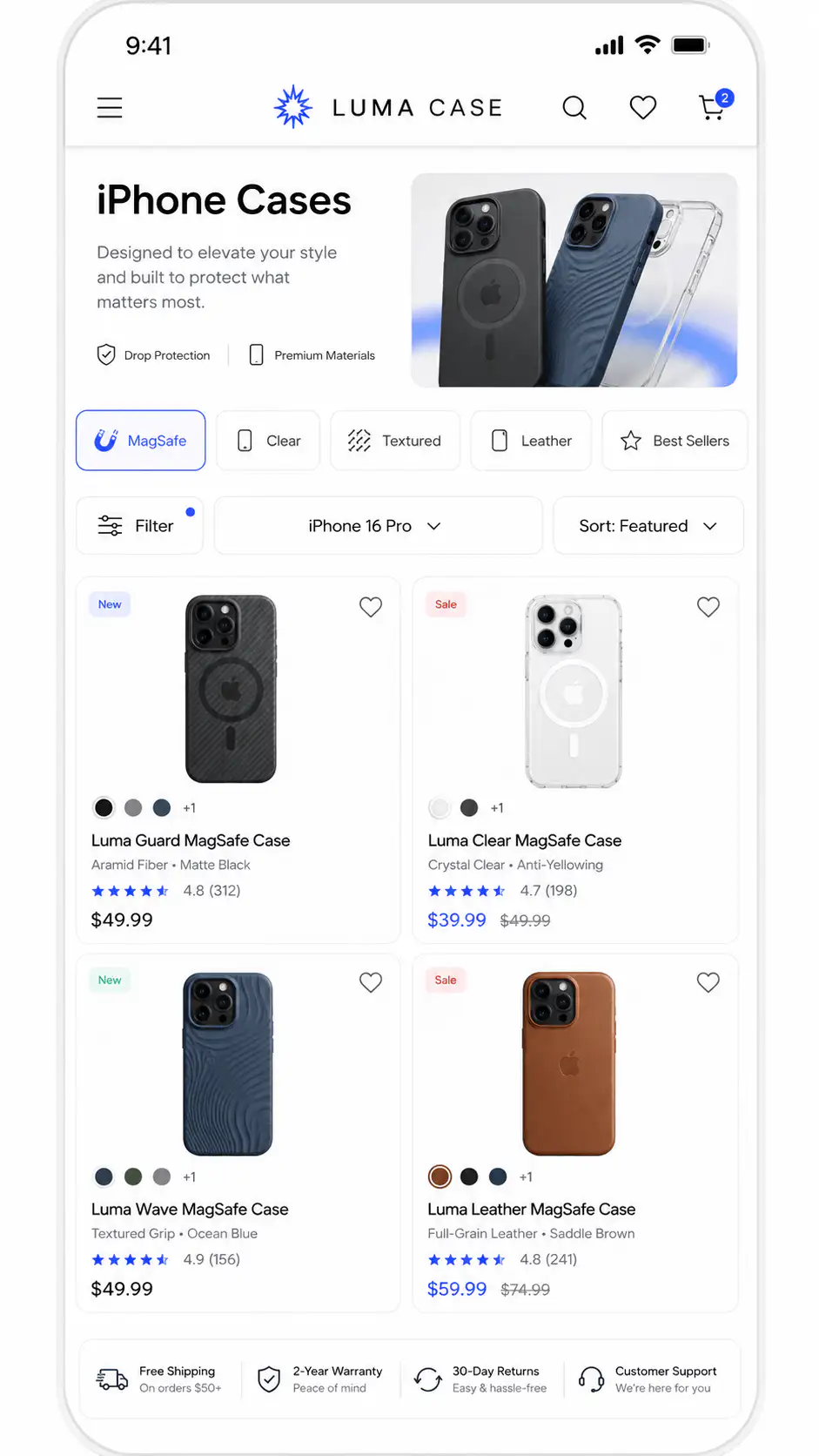
Filters should reflect the decision the shopper is trying to make on that page. Shopify's own Search & Discovery documentation supports filters for collection and search results, including product options, product metafields, price, availability, vendor, and product type. The point is not to expose every available data field. The point is to narrow the product set in a way the buyer understands.
| Catalog type | Useful filters | Weak filters |
|---|---|---|
| Apparel | Size, fit, color, material, occasion, availability | Supplier codes, internal seasons, broad tags |
| Beauty or skincare | Skin concern, skin type, routine step, ingredient preference | Long ingredient tags without buyer grouping |
| Supplements | Goal, format, serving type, bundle, subscription, dietary needs | Scientific terms with no buyer explanation |
| Technical parts | Compatibility, dimension, capacity, model, SKU/part number | Vague category labels |
| Home goods | Room, material, dimensions, color family, style | Decorative collection names only |
| Gifts | Recipient, budget, occasion, delivery speed | Full catalog collections with no buyer context |
Also audit filter behavior on mobile. A filter drawer that hides selected filters, reloads slowly, uses vague labels, or places important values far down the list can fail even when the underlying data is correct.
When should you use Shopify Search & Discovery?
Use Shopify Search & Discovery when your store needs cleaner native filters, synonym groups, product boosts, and search analytics before paying for heavier tooling. It is a useful free starting point for stores that have clean enough data and a compatible theme.
It is not magic. Shopify notes that theme support matters, large collections have filter limits, and filters can display only a limited number of values to customers. If the store has huge collections, messy values, complex compatibility logic, or exact part-number behavior, a specialized search/filter app may eventually be justified.
- Turn on the relevant native filters for collection and search pages.
- Add product metafields for attributes buyers actually use.
- Create synonym groups for common language mismatches.
- Boost products that should lead search results for specific terms.
- Review search analytics for low-click and zero-result queries.
- Only then compare paid search apps against the real gaps.
When does a paid search app make sense?
A paid app makes sense when native search cannot handle the level of query complexity your catalog needs. That can include partial SKU matching, typo tolerance, instant suggestions, merchandising rules, synonym depth, multi-attribute filters, separate variant display, analytics, or natural-language intent.
But an app should be tested against specific failure modes. Do not buy a search app because search feels weak. Buy one because you know which queries fail, which products should appear, which filter logic is missing, and how the app will improve the buyer path.
| Before buying an app, prove this | Why it matters |
|---|---|
| Top failed queries are known | You can test whether the app actually fixes them. |
| Product data is structured | Apps need clean attributes to return useful results. |
| Mobile result UX is reviewed | Fast search is useless if results are hard to scan. |
| Zero-result handling is defined | Dead ends should route to categories, support, or alternatives. |
| Merchandising rules are intentional | Best sellers, in-stock products, and high-margin items need logic. |
| Analytics will be read weekly | Search is a system, not a one-time install. |
How should product cards support discovery before the PDP?
Product cards should reduce blind clicks. In collection and search results, shoppers need enough context to decide which product deserves attention. A card that only shows a cropped image, a poetic name, and a price turns the collection into visual guessing.
- Show the product type in or near the title.
- Add a useful badge only when it clarifies choice: bestseller, new, bundle, low stock, compatible, wide fit, travel size.
- Expose price context when variants, bundles, or subscriptions change the real price.
- Show review count or proof only when it helps compare options.
- Use hover or second image for detail, scale, or use case, not random lifestyle filler.
- Avoid quick-add when shoppers need size, compatibility, or personalization context first.
If shoppers click the wrong product repeatedly, the PDP will look like the problem, but the leak may have started one page earlier. Compare collection views, card clicks, PDP exits, and add-to-cart by product group before rewriting product pages blindly.
How should zero-result searches be handled?
A zero-result page should not be a dead end. It should help the shopper recover: suggest corrected terms, show close categories, surface popular products, explain compatible alternatives, or invite a guided path. This matters most for technical catalogs, gifts, replacement parts, niche apparel, and stores with many product names.
- Log the exact query.
- Check whether the product exists but uses different language.
- Add a synonym, metafield, or product title improvement when appropriate.
- Route vague terms to a collection or quiz path.
- Show support or chat only after useful self-serve paths.
Community threads repeatedly show shoppers and merchants using everyday need language: gift under a budget, office use, compatibility, capacity, partial SKU, or a product question. Your search system should understand that language before it asks buyers to browse harder.
When does guided selling or AI chat help?
Guided selling helps when the shopper cannot choose from product cards alone. It is useful for routines, gifts, compatibility, technical products, skincare, supplements, apparel fit, and catalogs where a few questions can narrow many options.
AI chat is weaker when it works like a support FAQ glued to the storefront. It is stronger when it can answer product-specific questions from real catalog data, availability, policy details, and buyer constraints. Even then, treat it as a discovery layer, not a substitute for clean collections, filters, and PDPs.
| Use guided selling when | Use filters/search when |
|---|---|
| The buyer has a vague goal | The buyer knows the attribute they need |
| The product needs fit or compatibility guidance | The product category is familiar |
| A routine, set, or bundle must be assembled | The shopper wants quick narrowing |
| The catalog has too many similar options | The catalog has clean structured attributes |
| The recommendation needs explanation | The best option is obvious after filtering |
What should you audit first?
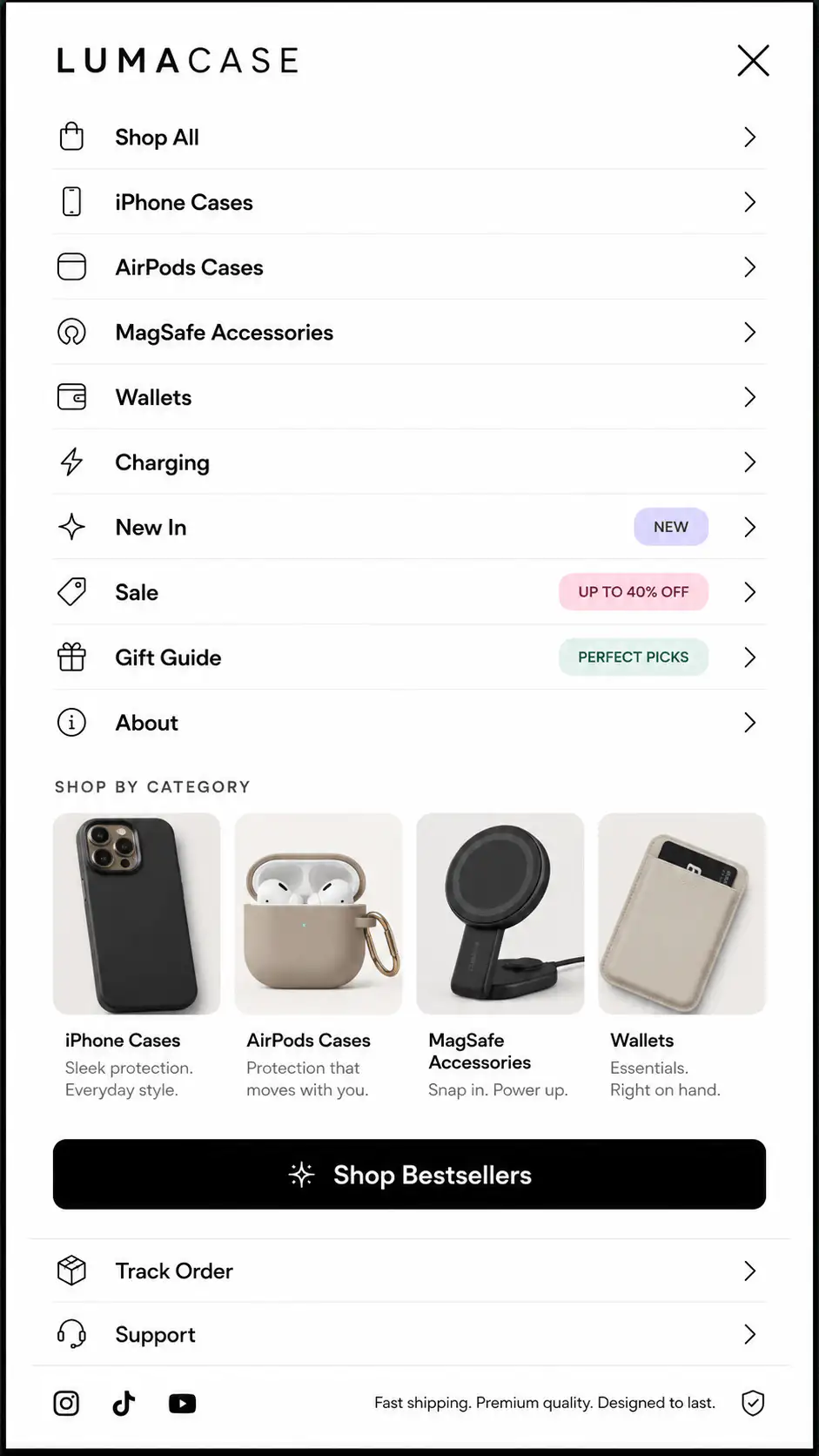
Audit the path from vague intent to product choice. Start with the top entry points: homepage menu, collection page, search box, product-card grid, mobile filter drawer, chat or quiz, PDP click, and add-to-cart. The goal is to find where the shopper stops getting useful narrowing help.
- List the top 20 internal search queries and mark failed, weak, and strong results.
- Review zero-result queries and group them by language mismatch, missing product, typo, SKU, or use case.
- Open top collections on mobile and test whether filters are visible, understandable, and useful.
- Check whether product cards expose enough context before the PDP click.
- Compare high-search sessions with add-to-cart and purchase behavior.
- Test three buyer scenarios: exact product, vague use case, and compatibility/spec need.
- Decide whether the fix is data cleanup, page structure, native Search & Discovery, guided selling, or a paid app.
Find where shoppers lose the right product
If shoppers browse, search, or ask for help but still do not reach the right product, get a Free Buying Journey First-Look. We will review the catalog path, collection structure, search behavior, mobile filters, product-card context, and PDP handoff.
FAQ
Should I install a Shopify search app first?
Not first. Check catalog data, product names, metafields, collection paths, filters, and zero-result queries before paying for another app. A search app can improve relevance and analytics, but it works best when the product data already reflects how shoppers choose.
Are Shopify filters better with tags or metafields?
Use metafields for structured buyer-facing attributes such as size, material, compatibility, capacity, skin concern, or use case. Tags can help with merchandising, but they often become messy when used as the main filter database.
What should I do with zero-result searches?
Treat zero-result searches as buyer-language research. Add synonyms, improve product titles, create useful metafields, route vague terms to collections, and show close alternatives. Do not leave shoppers on a dead end with only a generic no-results message.
Do large Shopify catalogs need guided selling?
Large catalogs need guided selling when shoppers cannot narrow choices with search and filters alone. Quizzes or product-discovery chat can help for gifts, routines, compatibility, and fit, but they should support a clean catalog structure rather than replace it.
How do I know if product discovery is hurting conversion?
Look for high search usage with low product clicks, frequent zero-result queries, collection views without PDP clicks, heavy filter use without add-to-cart, chat questions about finding products, and mobile sessions that loop between menu, search, and collection pages.
Sources and verification notes
- Reddit r/shopify, site search issues with technical catalog queries, retrieved 2026-07-06
- Shopify Community, product discovery discussion for large catalogs, retrieved 2026-07-06
- Shopify Community, search and discovery conversion discussion, retrieved 2026-07-06
- Shopify Community, AI chat and product discovery discussion, retrieved 2026-07-06
- Shopify Help Center, adding filters with Search & Discovery, retrieved 2026-07-06
- Shopify App Store, Shopify Search & Discovery app listing, retrieved 2026-07-06